The QuotesUp app icon

The QuotesUp App by Florida Mail & Print

Your mailing doesn’t end at the mailbox.

QuotesUp is the companion app for Florida Mail & Print customers. See who scanned, follow every mailing, ask for changes and answer your prospects, all in one place.

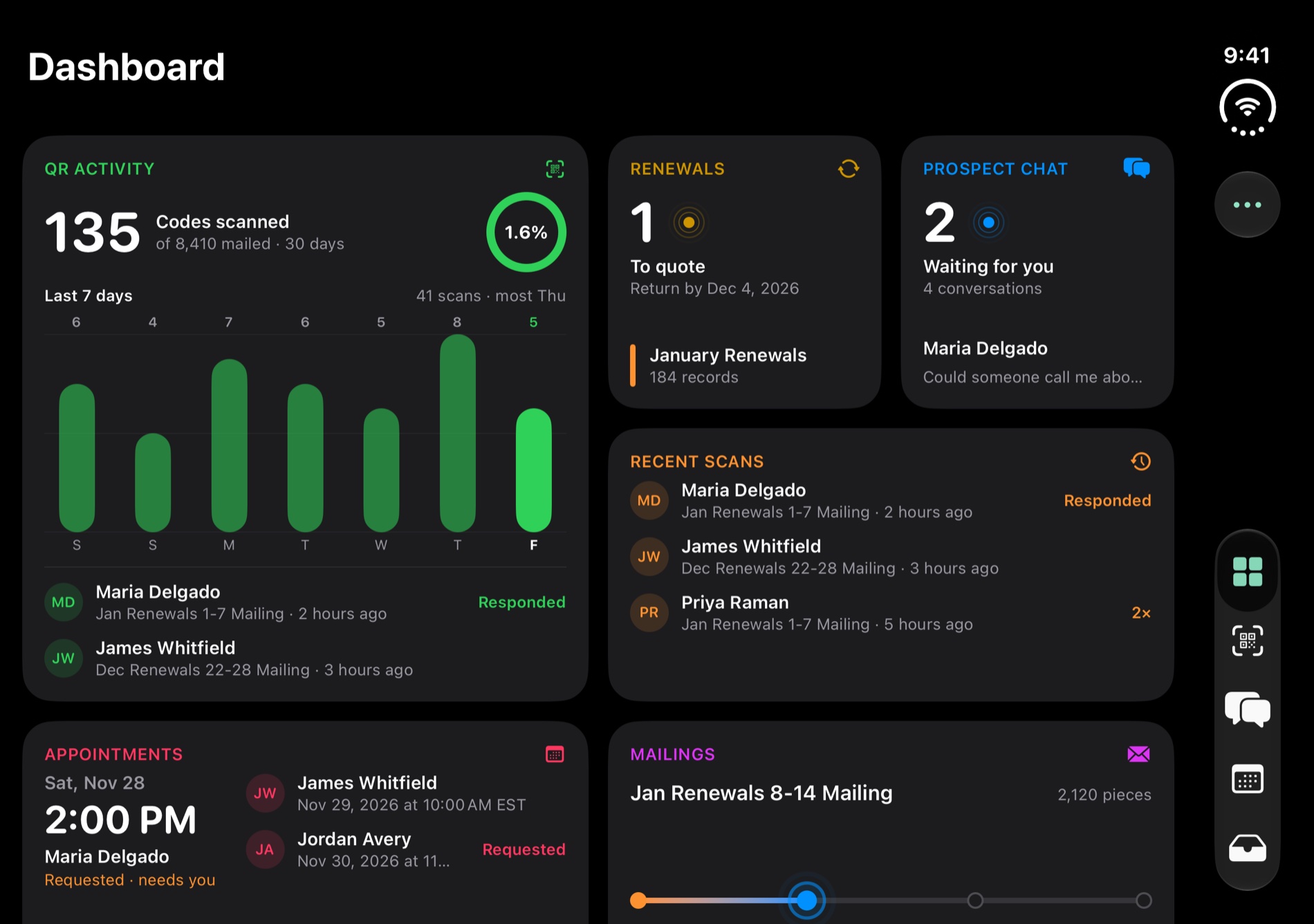
The QuotesUp Dashboard on an iPhone Duo: live widgets for QR activity, renewals, prospect chat, recent scans, appointments and mailings.
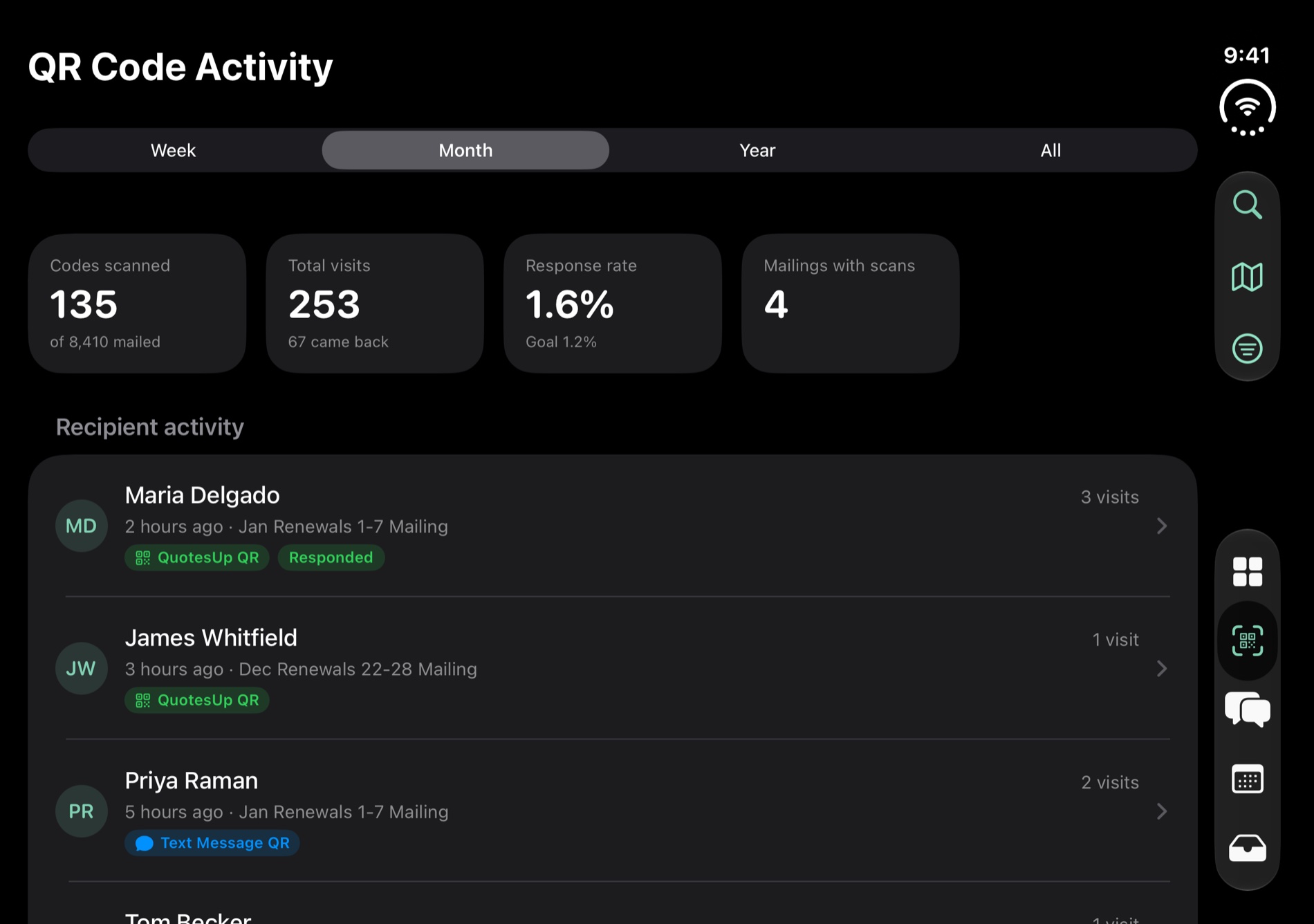
The QR Code Activity page: codes scanned, total visits, response rate, and a list of the people who scanned with their mailing.
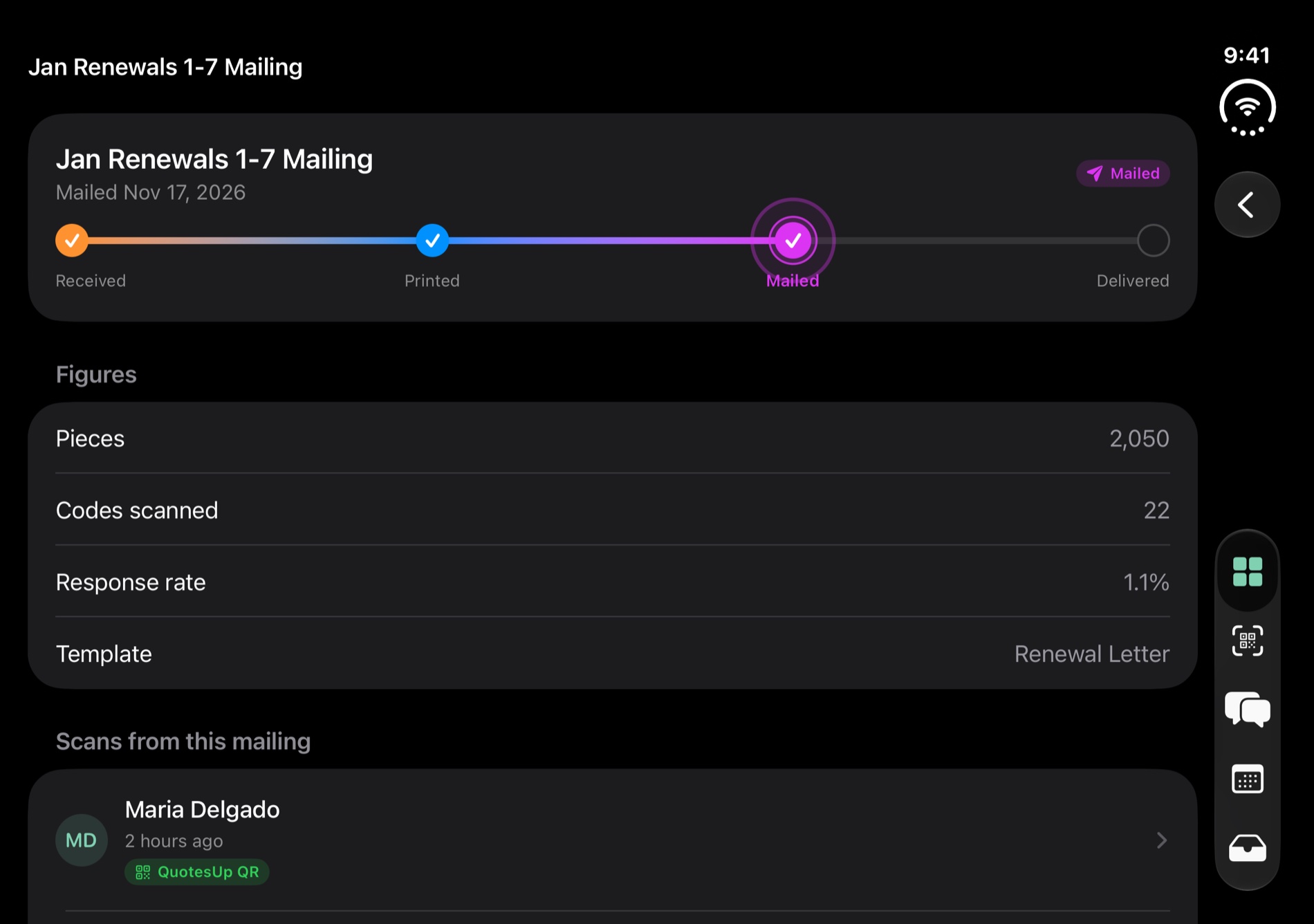
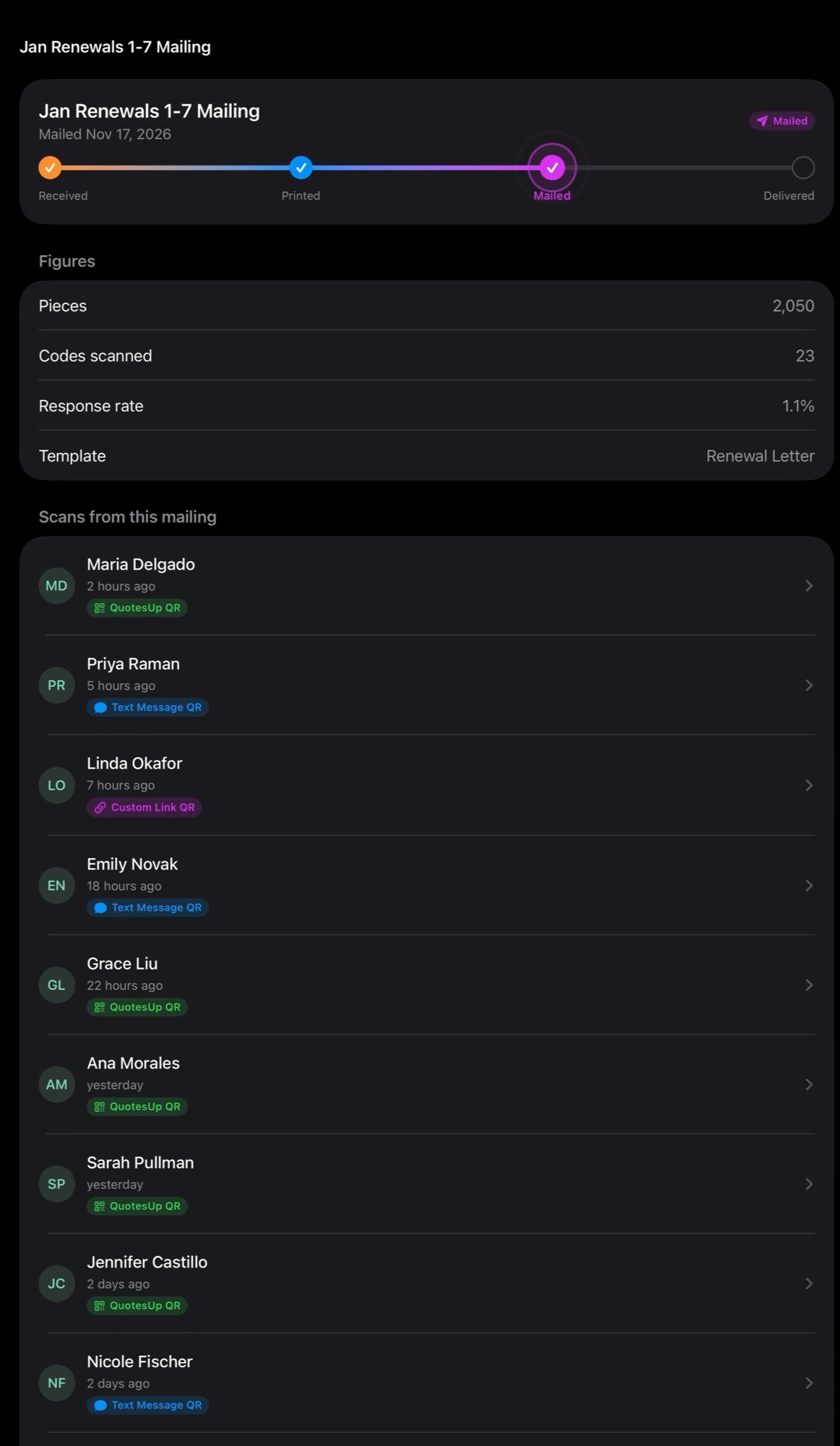
A mailing in QuotesUp: a tracker showing Received, Printed, Mailed and Delivered, the number of pieces, codes scanned and response rate.
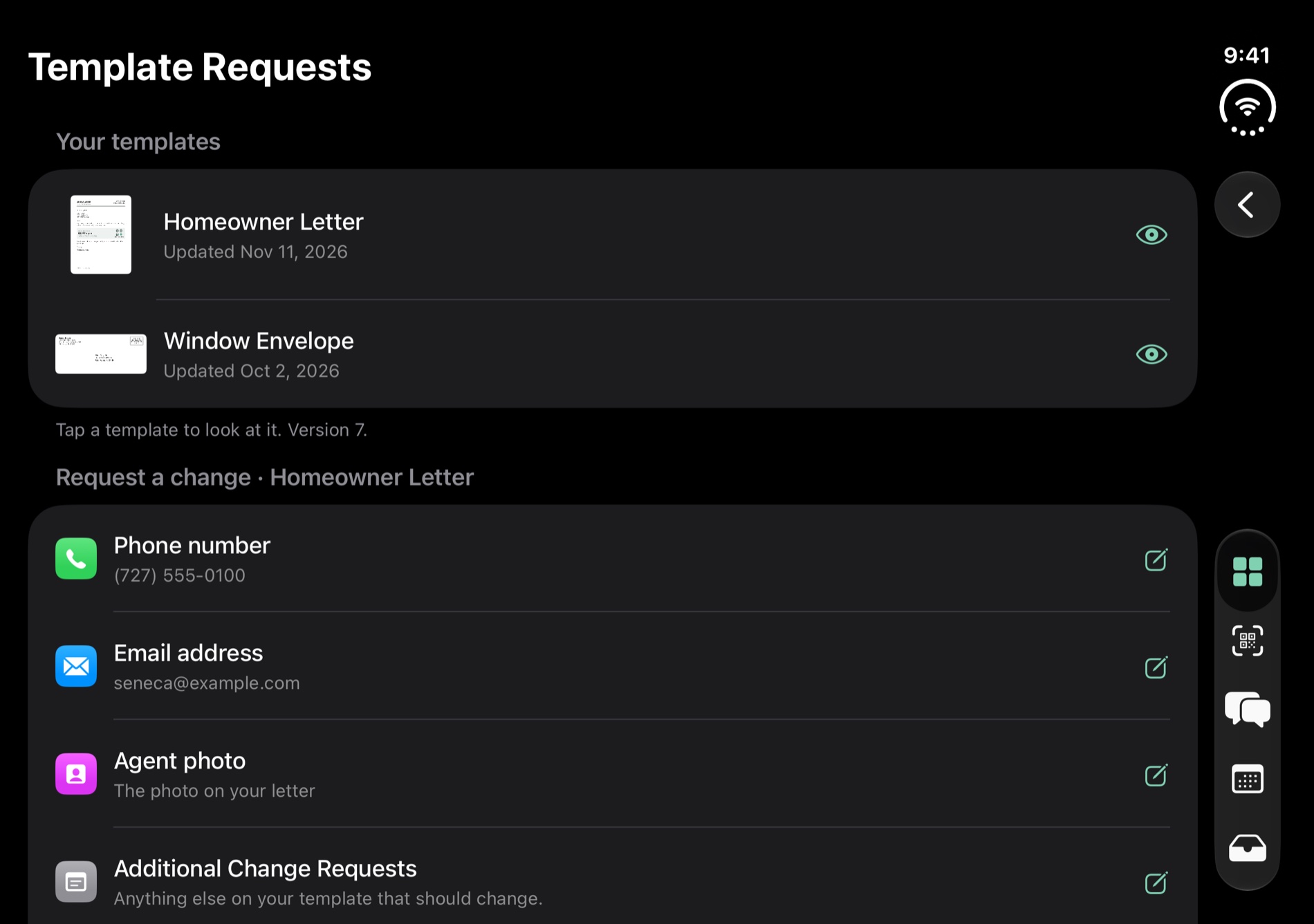
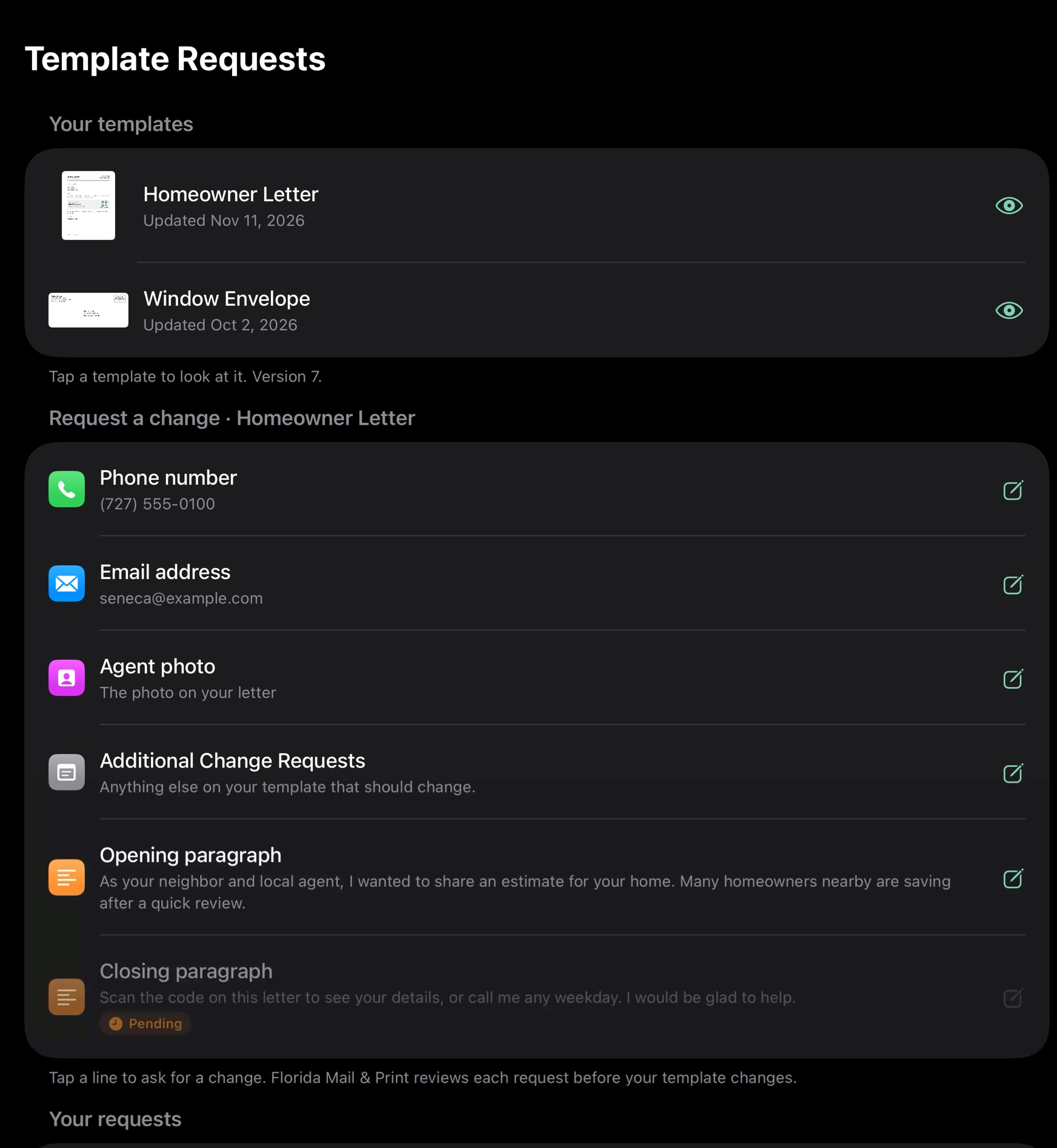
The Template Requests page, where a change to a letter or envelope is requested.
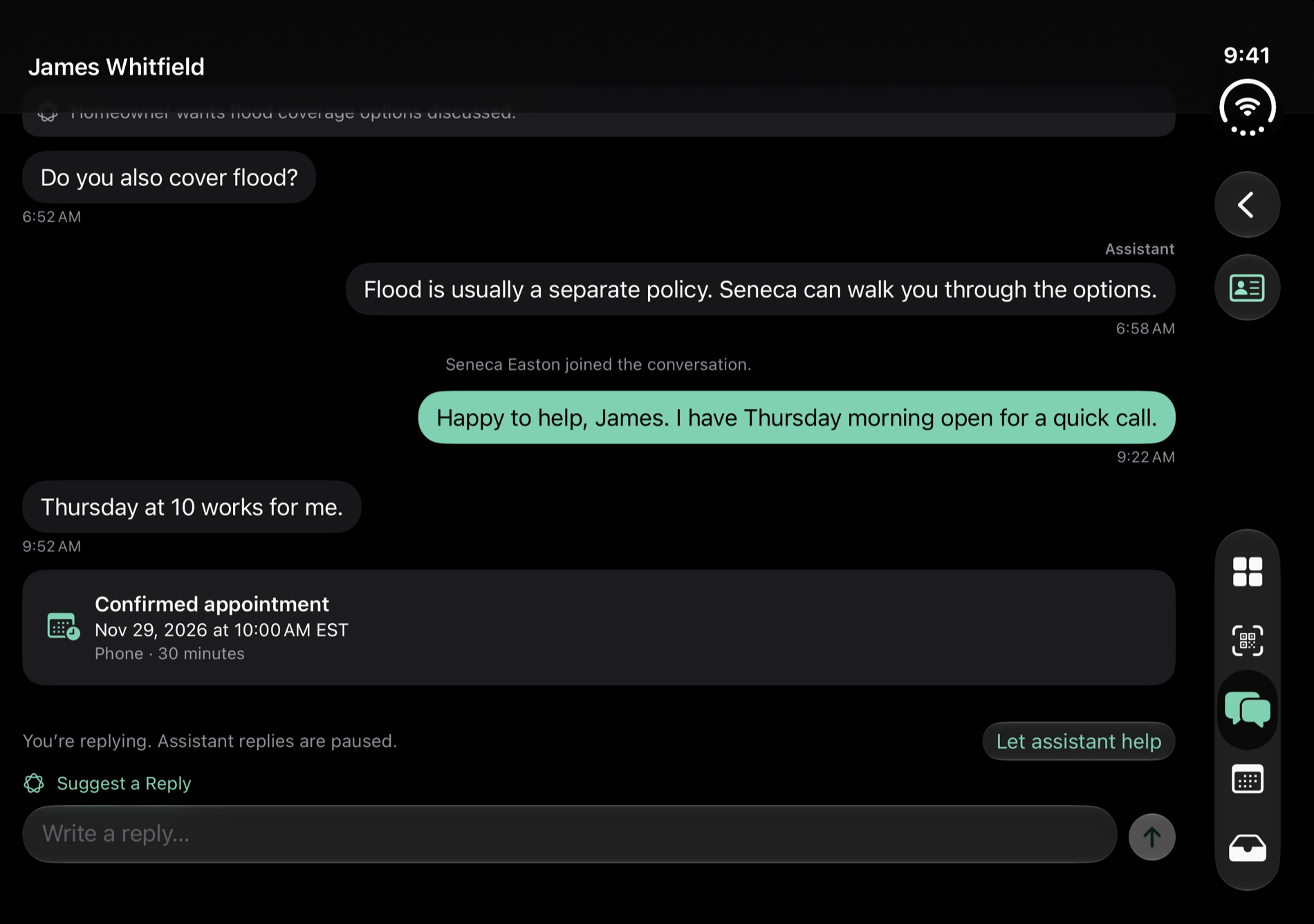
A Prospect Chat conversation: a homeowner asks about their estimate, the assistant answers, and the agent can take over.
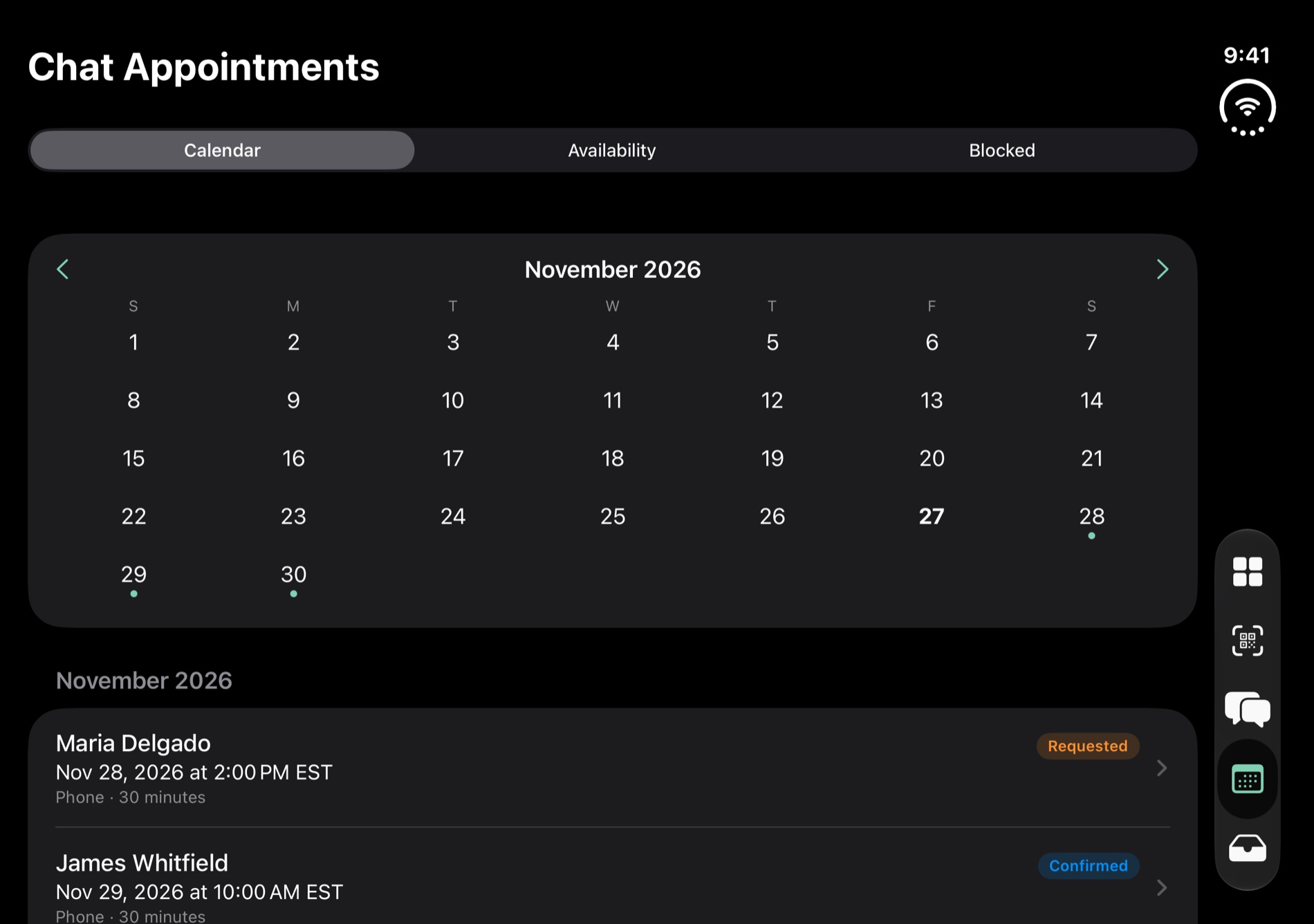
The Appointments page: a request from a prospect, with its time and how they would like to meet.
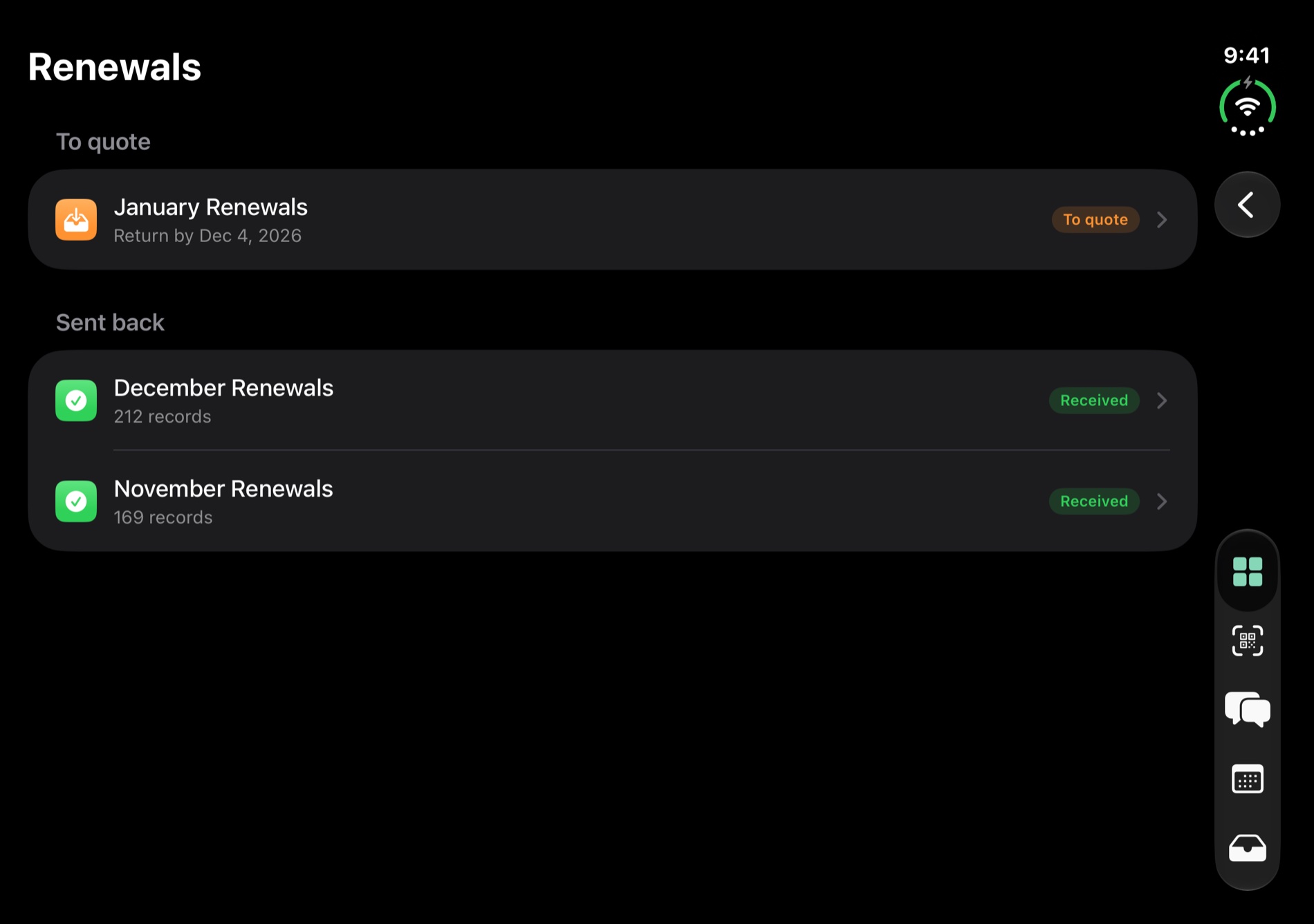
The Renewals page: January Renewals to quote, and the lists already sent back.
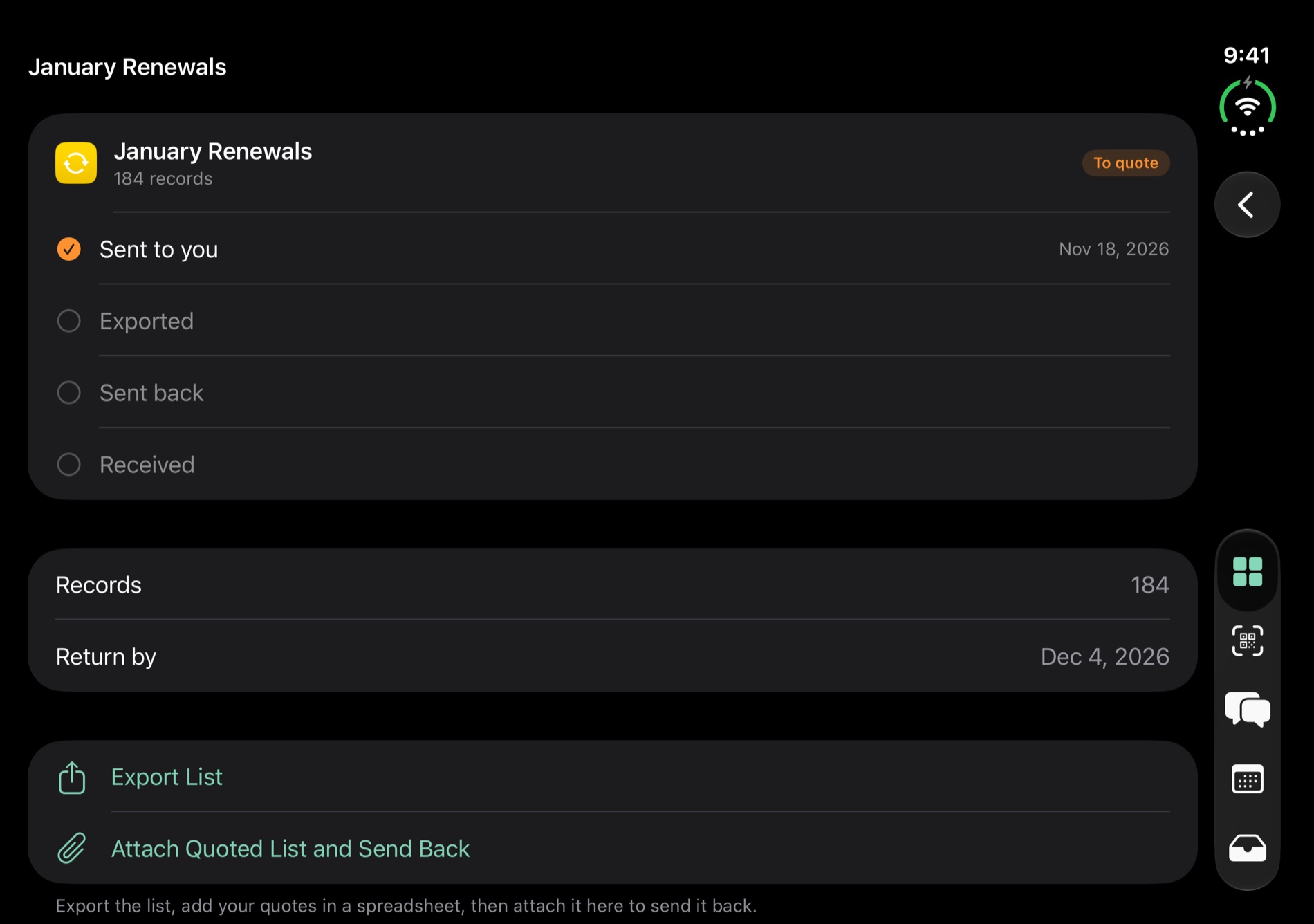
January Renewals: 184 records sent to you, to export, quote and send back.
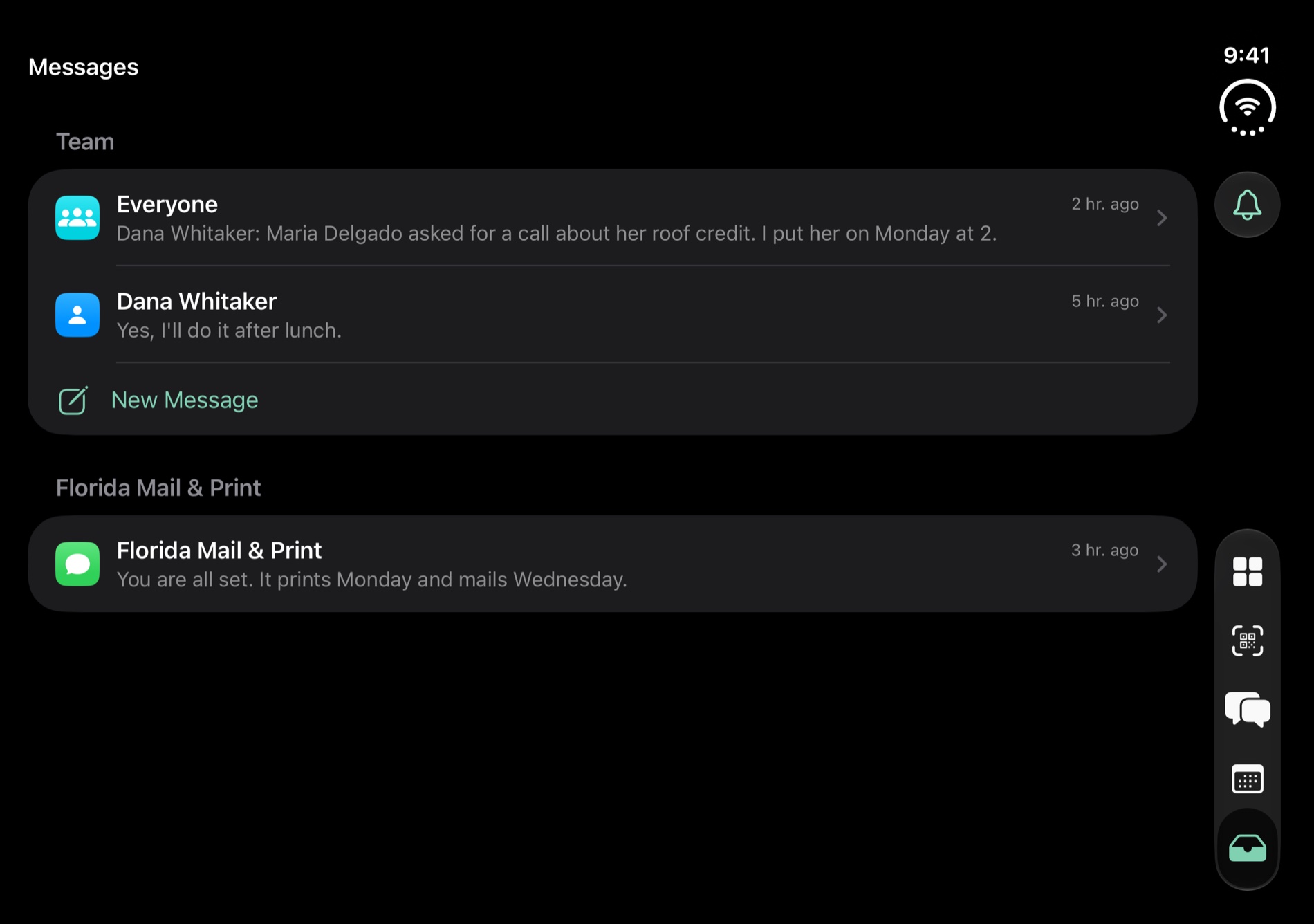
Messages with Florida Mail & Print about a mailing.
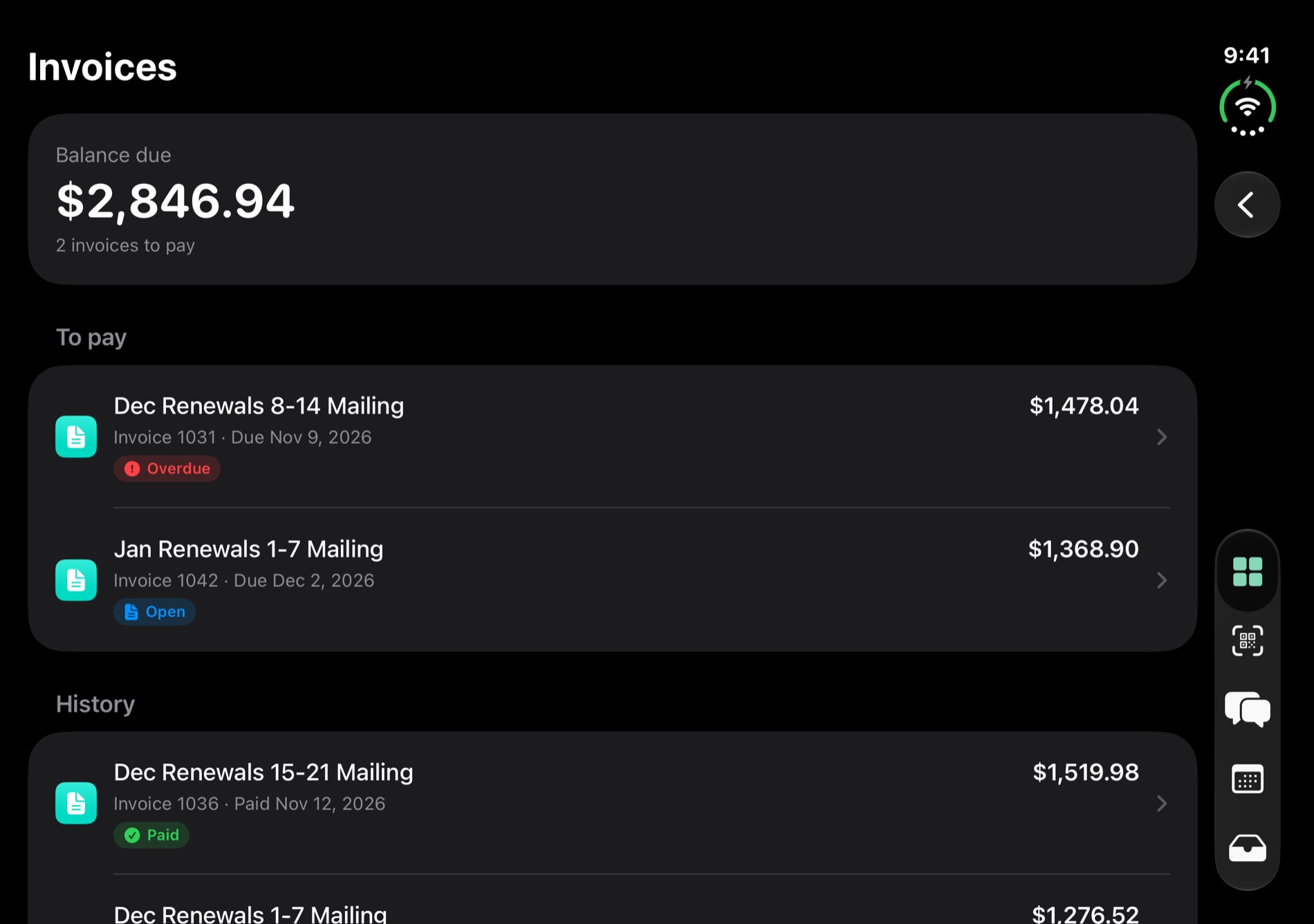
The Invoices page: the balance due, the invoices to pay, and the ones already paid.
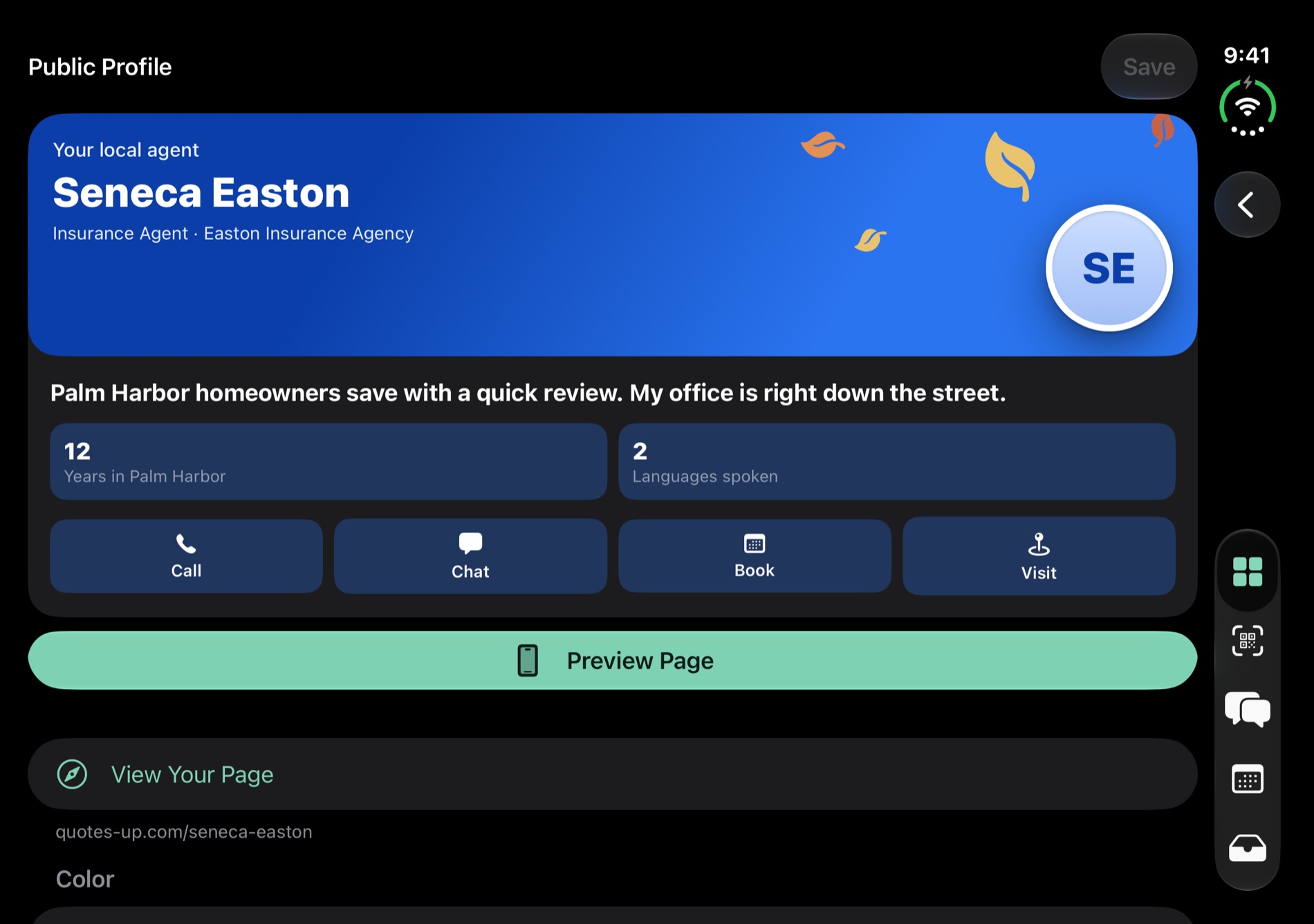
The Public Profile page: the agent’s profile as prospects see it, with Call, Chat, Book and Visit, and a button to preview the page.

Live widgets and notifications. Your numbers stay current on one Dashboard, and you hear right away when a visitor is waiting or asks for an appointment. When the tour ends, tap a widget to open its page.

QR tracking. See every scan as it happens: who it was, which mailing brought them in, and how many times they came back. Open a person for their home, their estimate and what they told you.

Mail tracking. Follow each mailing from received to printed, mailed and delivered, along with the pieces sent and everyone who scanned from it.

Easy changes. Need a new phone number, email or photo on your letter? Ask for the change right in the app. We review each request before your template is updated.

Talk to your prospects. A prospect can start a conversation right from their letter’s page. The assistant answers the first questions, and you take over whenever you like.

Appointments. A prospect asks for a time from your open hours. Open the request and confirm it, or choose another time.

Your public profile

They meet you before they call.

Every mailing links to a page about you. It greets your prospect, shows the estimate from their letter and puts you one tap away.

A working sample. Scroll through its features, or tap around the page itself.

  • It knows who is visiting.

    A prospect who taps the link in their Informed Delivery email, or scans the QR code on their letter, is greeted by name. Anyone else sees the same page without the greeting or the estimate.

  • Their estimate, handed over by you.

    The premium and the details from their letter appear in a card marked “Prepared for you by” with your name, so the letter and the agent read as one. It lays itself out for a home, auto or bundled letter.

  • One tap to reach you.

    Call, chat, book a time or get directions. Each one opens right on the page, with nothing for the prospect to download.

  • Booked from your open times.

    Set your hours once in QuotesUp. Visitors pick a time that suits you, and the request arrives in the app for you to confirm.

  • Your color, your pattern.

    Choose the color that fits your agency and one of five header patterns. The page follows each visitor’s phone, light or dark.

  • Holidays and game days.

    Switch on holiday and sports headers and your page dresses for the season by itself: leaves for Thanksgiving, lights in December, a football for the championship. Each one shows only on its dates, then your own pattern returns.

    Holidays

    Sports

  • Every visit counted.

    Visits from Informed Delivery and from QR codes are labeled and tied back to the mailing, so QuotesUp shows you which letters brought people in.

The details, down to the last scan.

  • Renewals. Each month’s renewal list arrives in the app. Export it, add your quotes and send it back.
  • From their mailbox to your screen. Every letter carries its own QR code. When a homeowner scans it, they show up in QuotesUp by name, with the mailing that brought them in.
  • Scan stats. Codes scanned out of pieces mailed, total visits, how many came back, and your response rate against your goal, by week, month or year.
  • Labels on every scan. See which kind of code each person used, a QuotesUp QR or a Text Message QR, and who has responded.
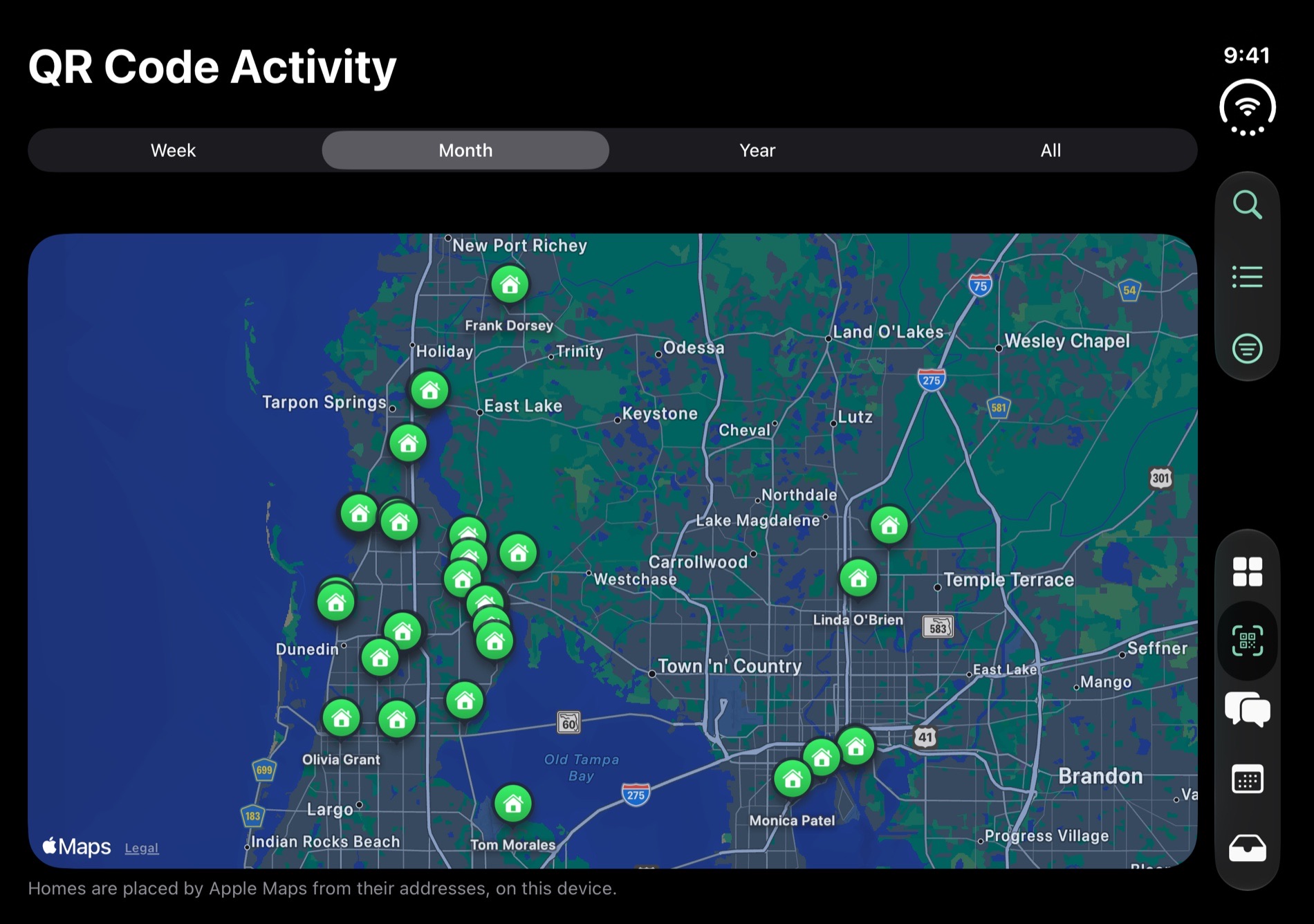
  • QR Code Activity on an iPhone Duo: a map with a pin for each scan.
    Scans on a map. See where your responses are coming from, mailing by mailing.
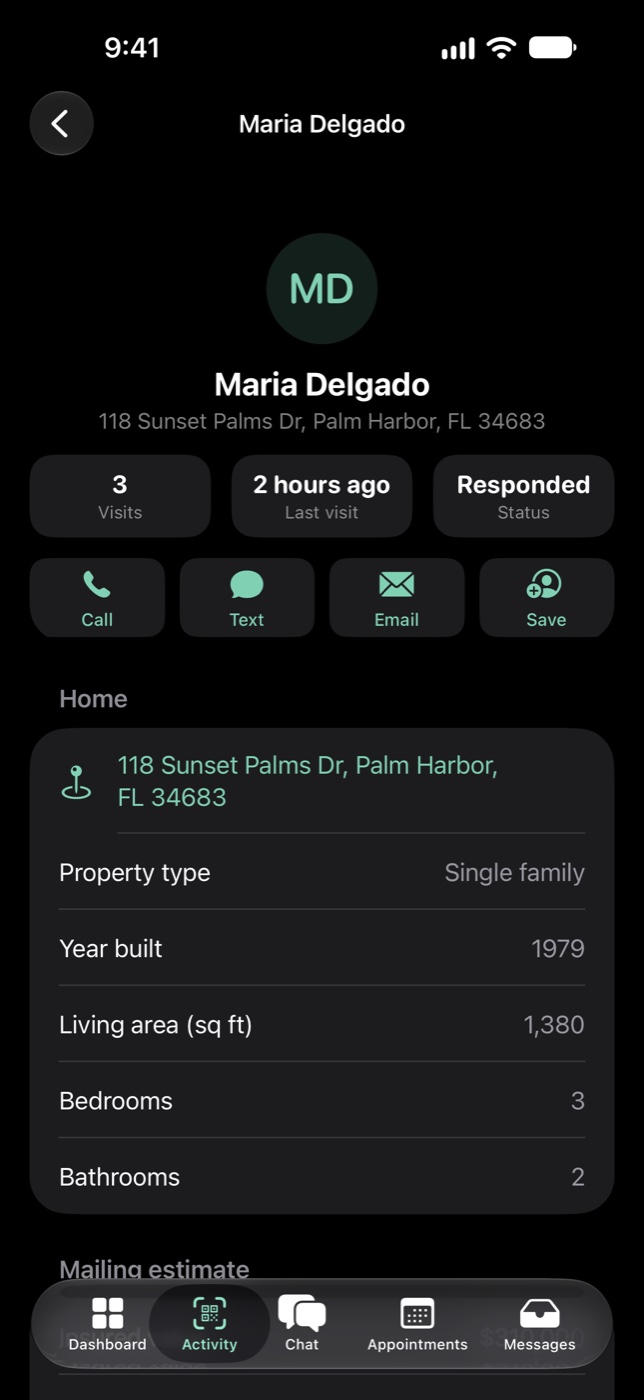
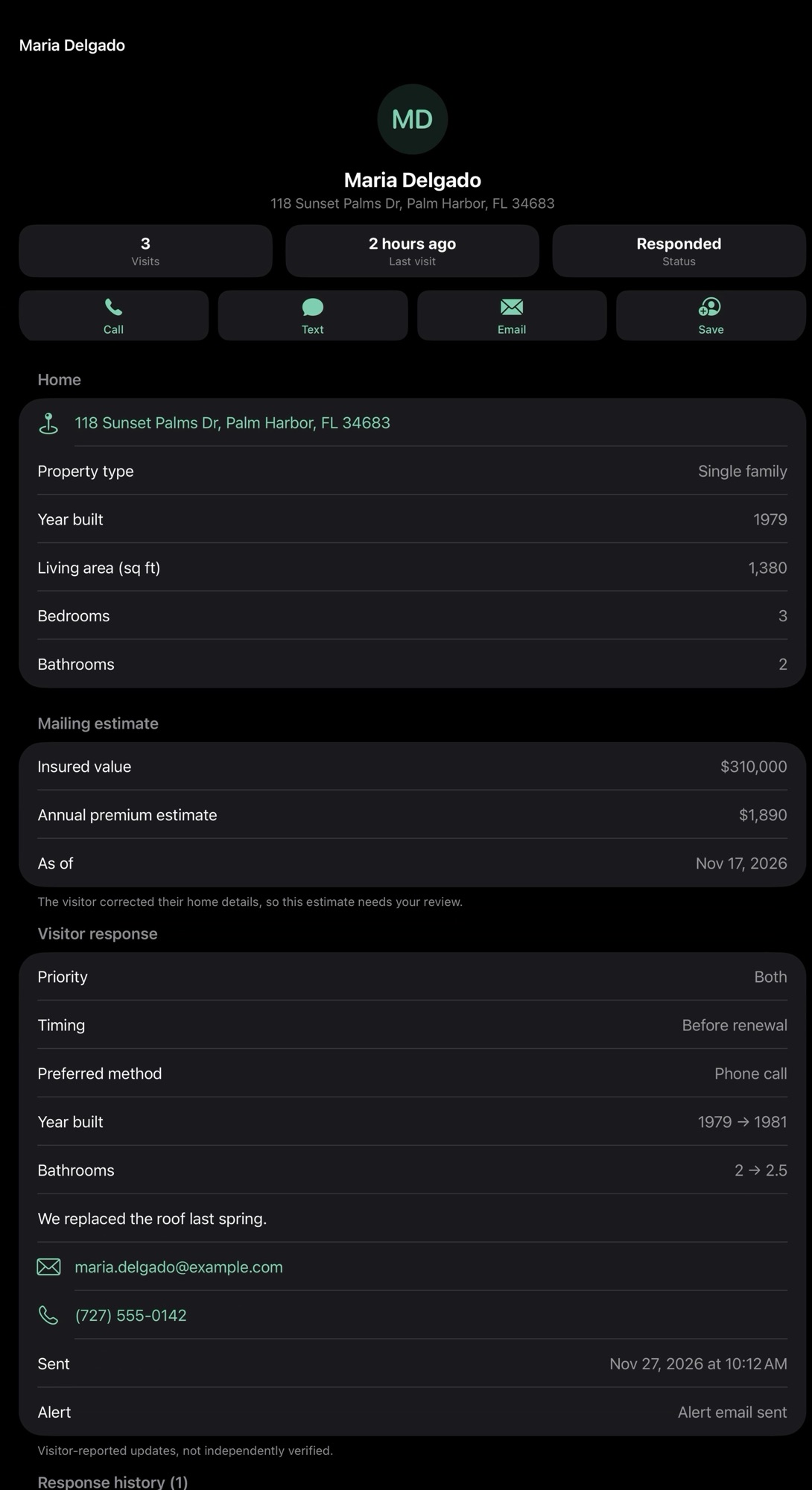
  • One person’s page in QuotesUp on an iPhone: their visits, the code they used and what they chose.
    One person, every visit. What they chose on their page, how they like to be reached, and each time they came back.
  • Appointments. Prospects ask for a time from your open hours, and you confirm it or choose another.
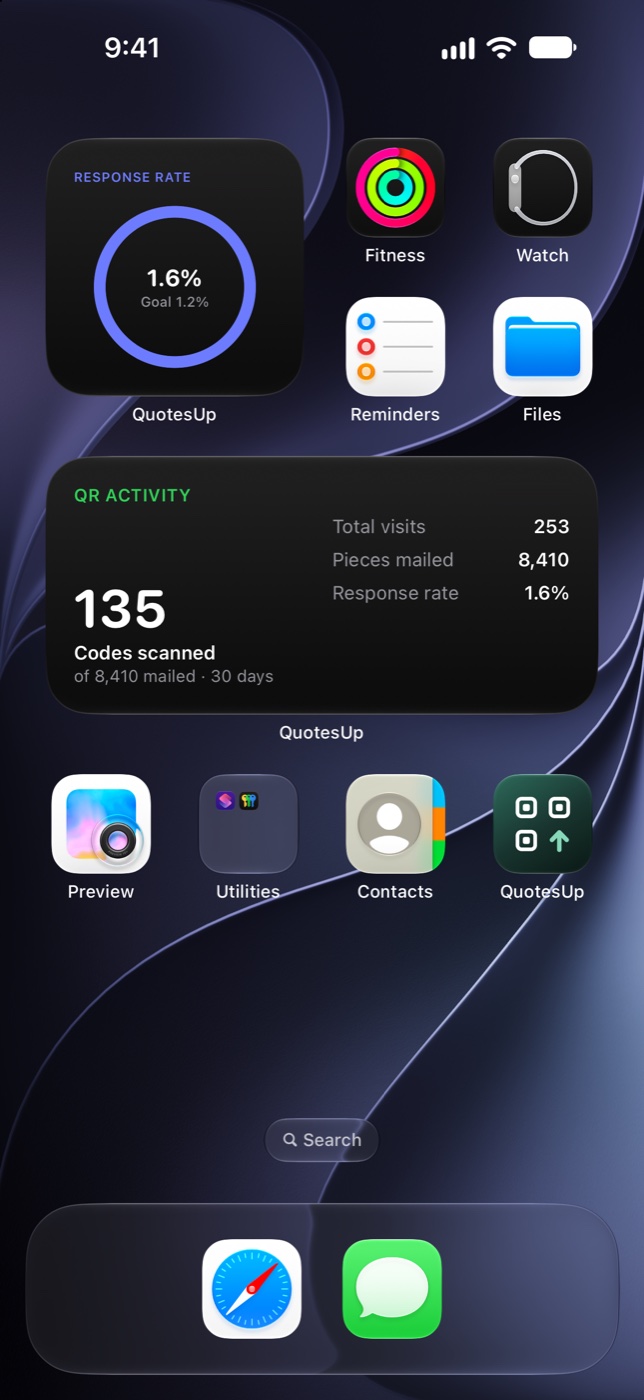
  • An iPhone Home Screen with QuotesUp widgets for response rate and QR activity.
    Widgets. Your figures on the Home Screen, the Lock Screen and Apple Watch.
  • A line to us. Message Florida Mail & Print about a mailing and get your answer in the same place.
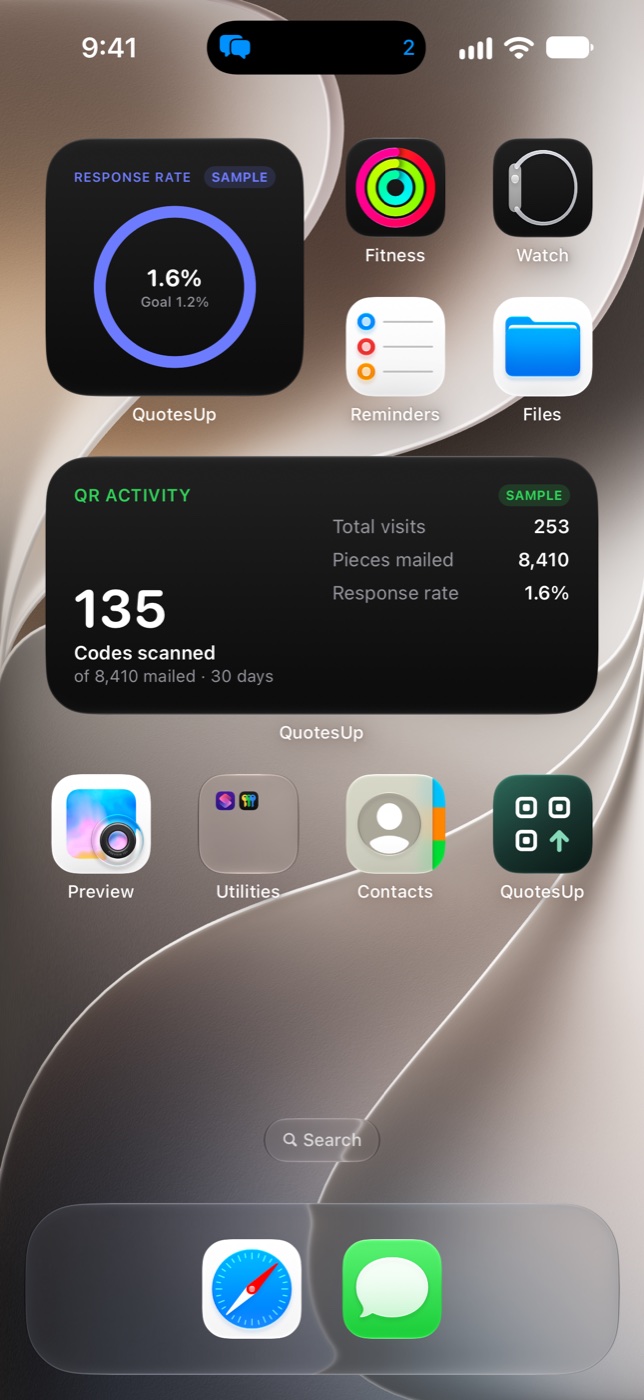
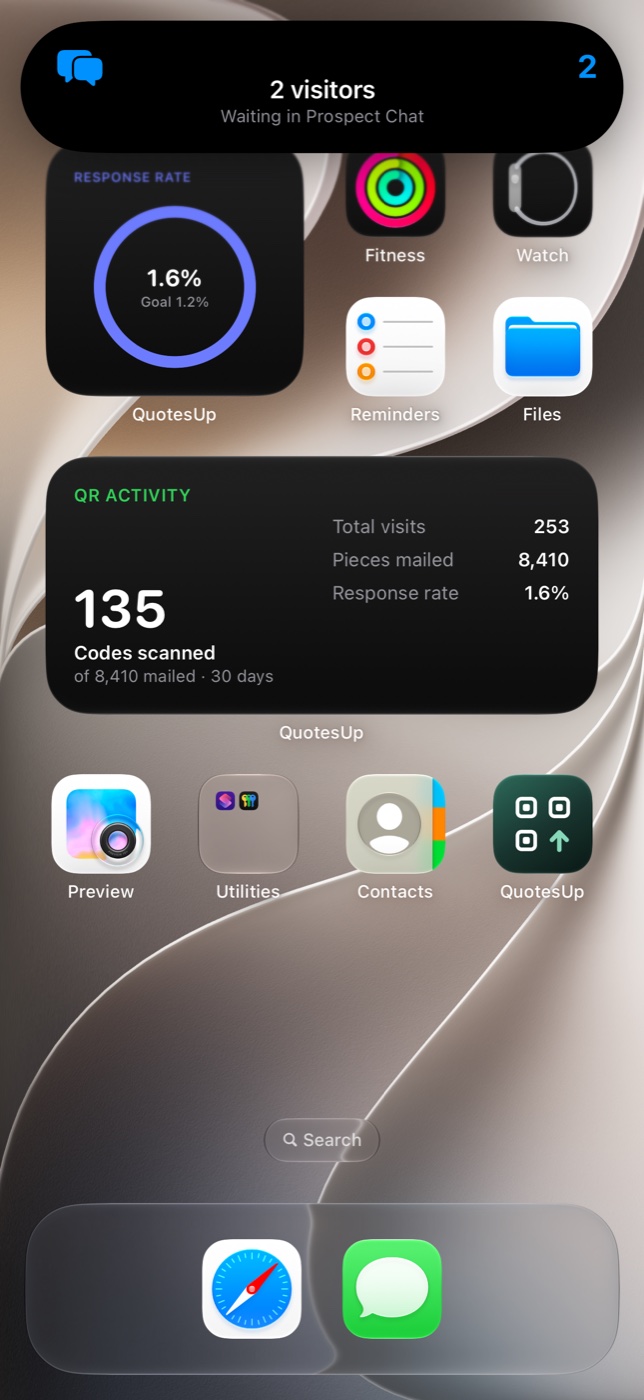
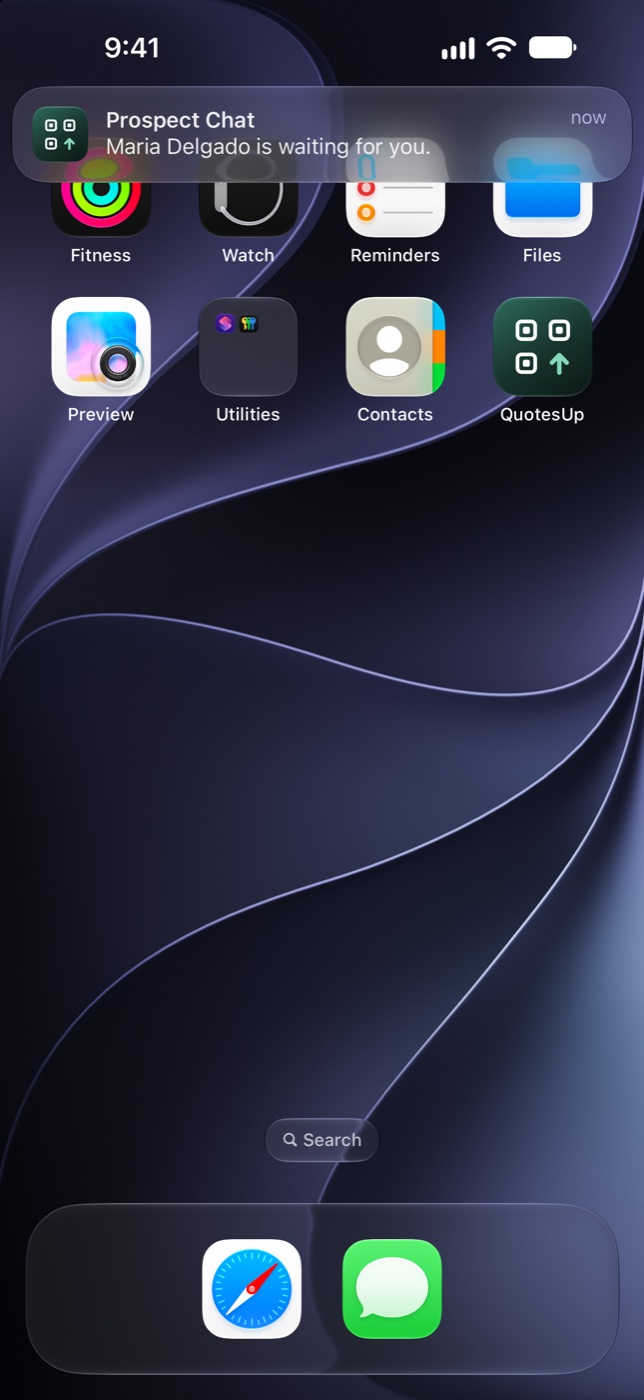
  • An iPhone showing a QuotesUp notification: Prospect Chat, Maria Delgado is waiting for you. Before it, the Live Activity around the camera at the top of the screen shows two visitors waiting in Prospect Chat.
    Notifications. A waiting visitor or an appointment request reaches you right away, and a Live Activity keeps count at the top of your screen.
  • Made yours. Pick a color and a background and every widget follows. Move and resize them, and gather them into folders.

In short

One app for everything after the mailbox.

Follow every mailing.

Watch each one move from received to printed, mailed and delivered, then see the scans it brings in.

With you all day.

Widgets on your Home Screen and Lock Screen, and a notification the moment someone reaches out.

Know who scanned.

Each scan with the person, the time and the mailing, as a list or on a map.

Ask Siri.

Find people in Spotlight and get your numbers by voice.

“How many scans in QuotesUp?”

135 codes scanned in the last 30 days.

Your whole office.

Add the people you work with and choose what each one can see and do.

Signed in, safely.

Stay signed in, and come back with Face ID, Touch ID, a passkey or Sign in with Apple.

Better results with thoughtfully integrated technology to coincide with your mail marketing.

+37%

More response when a mailing is paired with a matching digital campaign.1

+300%

More opens with a photo of their own home on the envelope.

64.2%

Of Informed Delivery emails are opened, each one showing your mail piece and your link.2

83.1M

People see their mail in their inbox before it reaches the mailbox.2

1. USPS Informed Delivery calculator, industry benchmark: a 5.1% mail response rate rising 37% to 6.99% with a matching digital campaign. A guide, not a promise; your results will vary. 2. USPS, Informed Delivery Year in Review, October 2025 to September 2026.

QR codes

One QR code for everything.

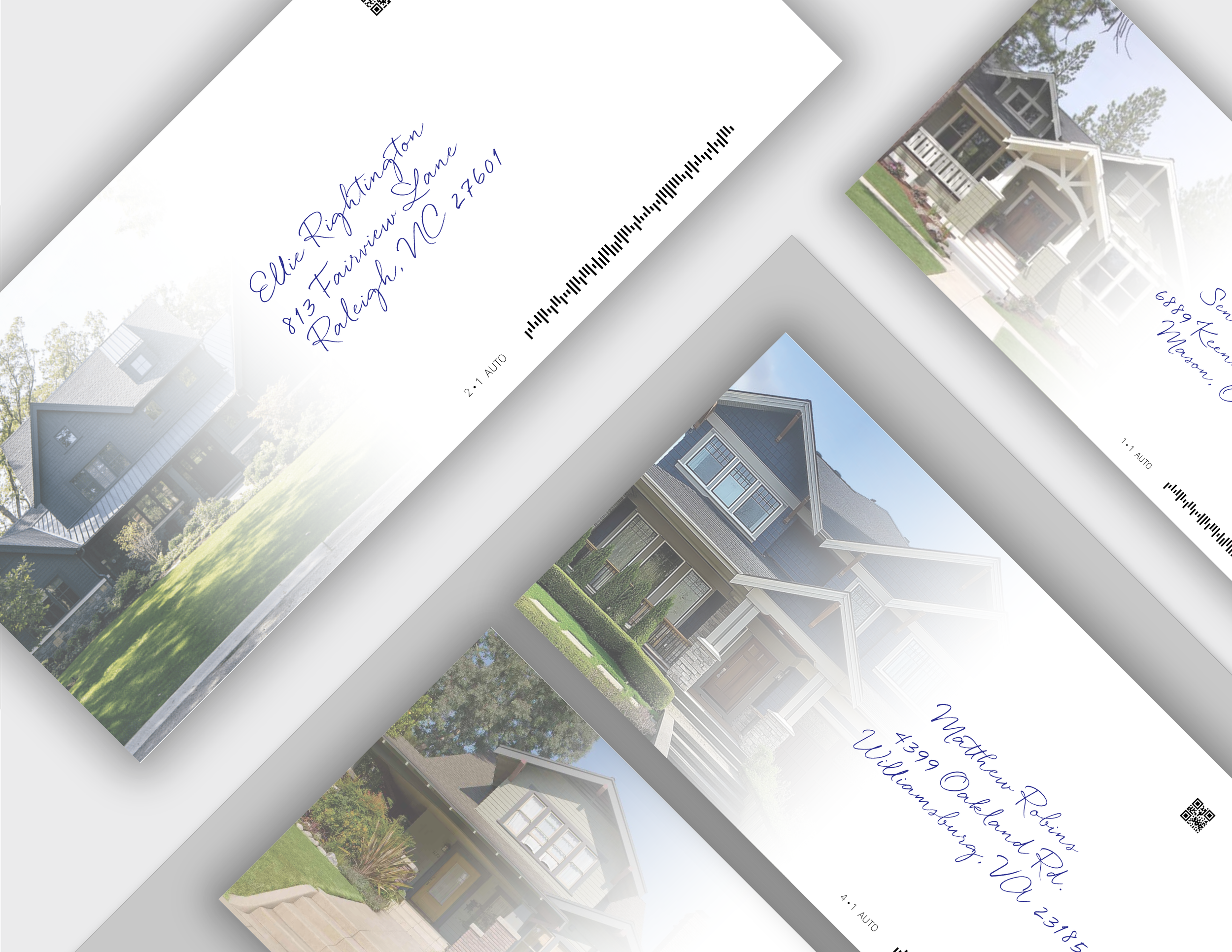
Every letter carries a code of its own. You choose what happens when a prospect scans it.

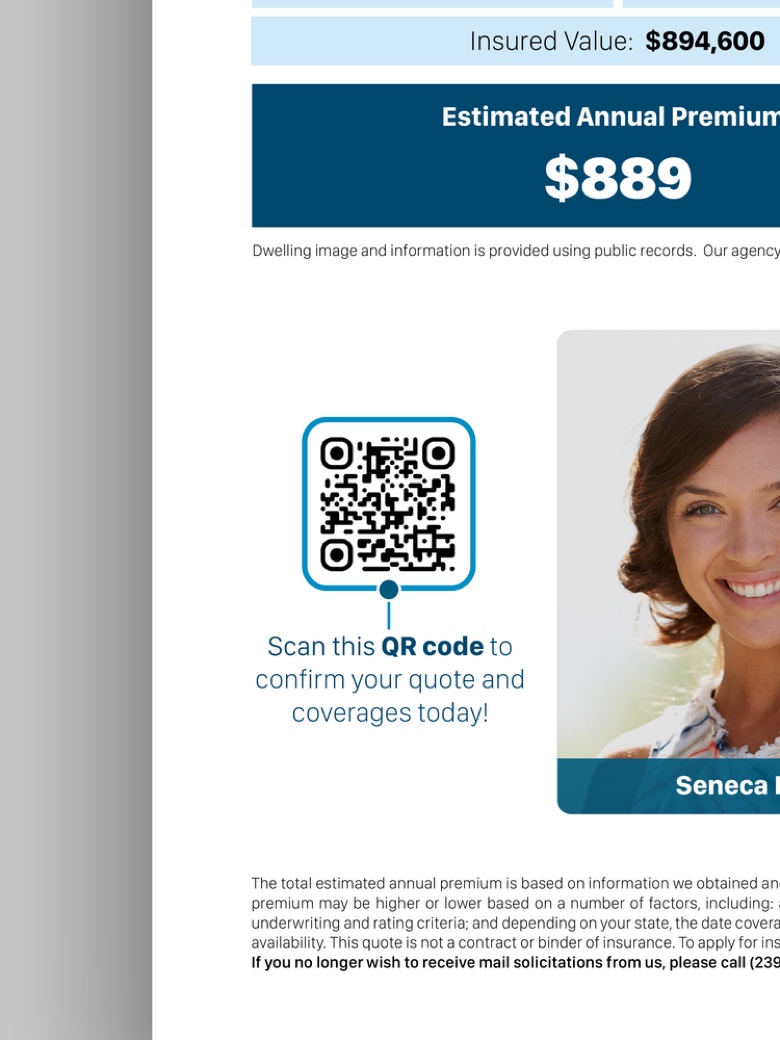
QuotesUp QR. Opens the homeowner’s own page with their estimate. They confirm their details, choose how they would like to hear from you, chat or book a time, and you see it all in QuotesUp.

Text Message QR. Opens a text message to you, already written with the details of their estimate, so reaching out takes them one tap.

Custom Link QR. Sends them to any link you choose: your website, a quote form or a booking page.

Profile QR. Takes them to your public profile, where they can call, chat, book a time or get directions.

The QuotesUp QR
See what they see when they scan.

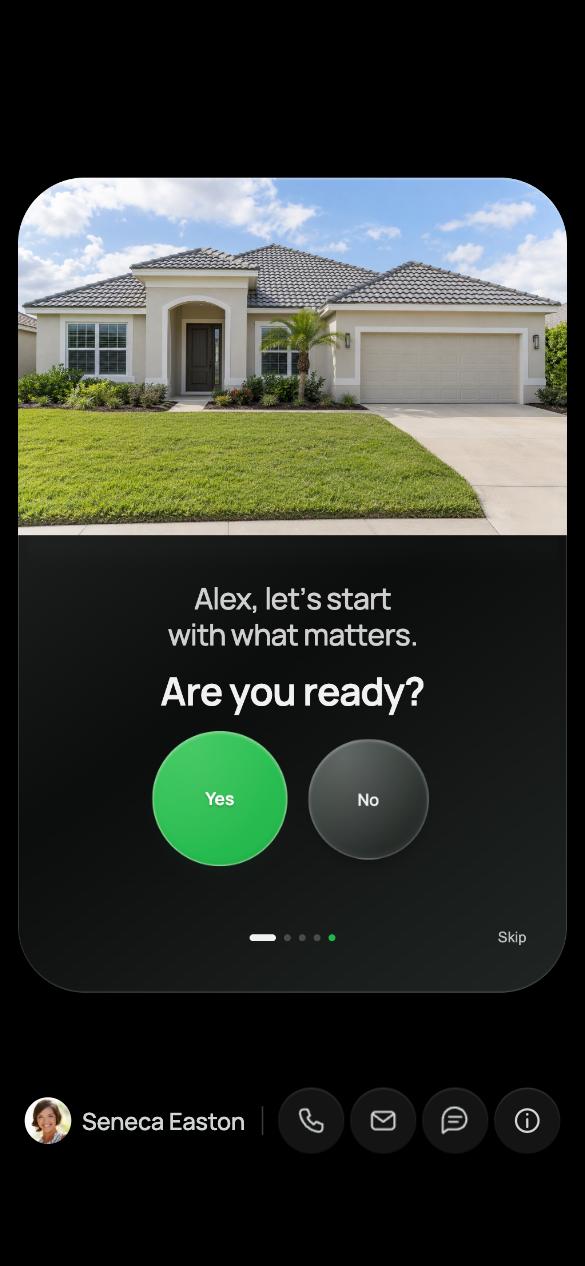
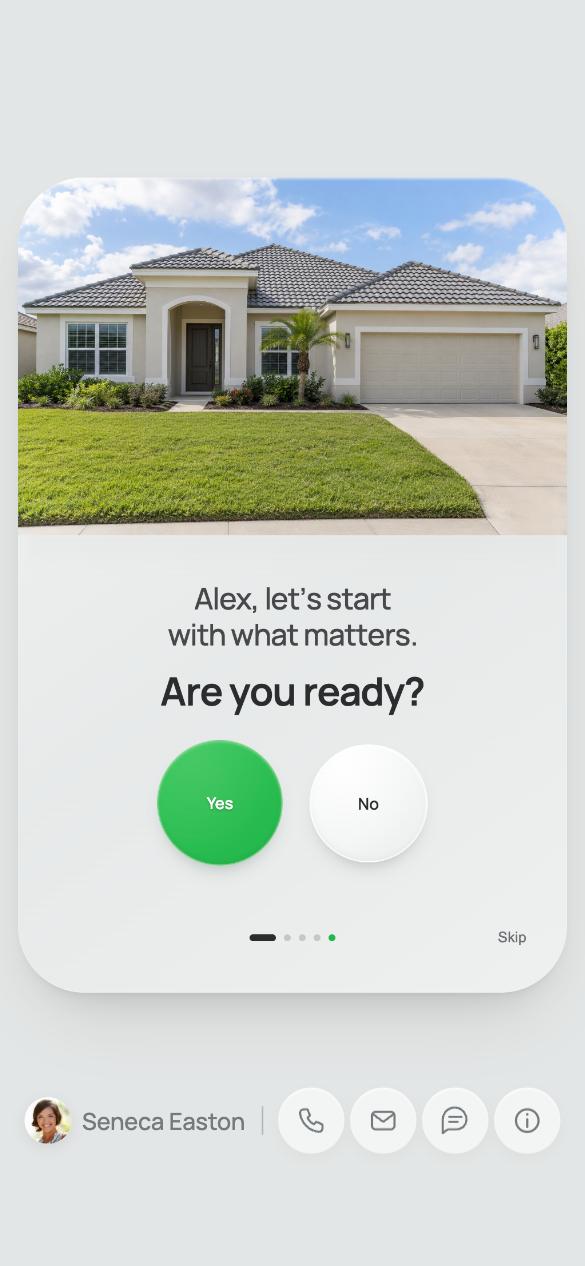
The first screen: a photo of their home, “Alex, let’s start with what matters. Are you ready?”, and Yes and No.
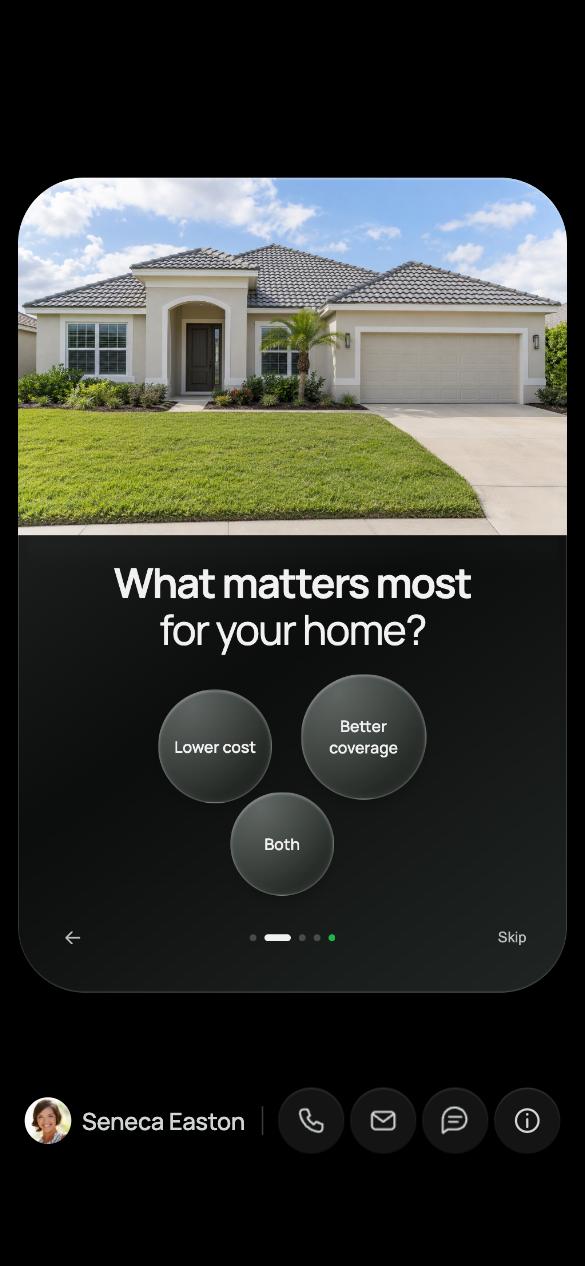
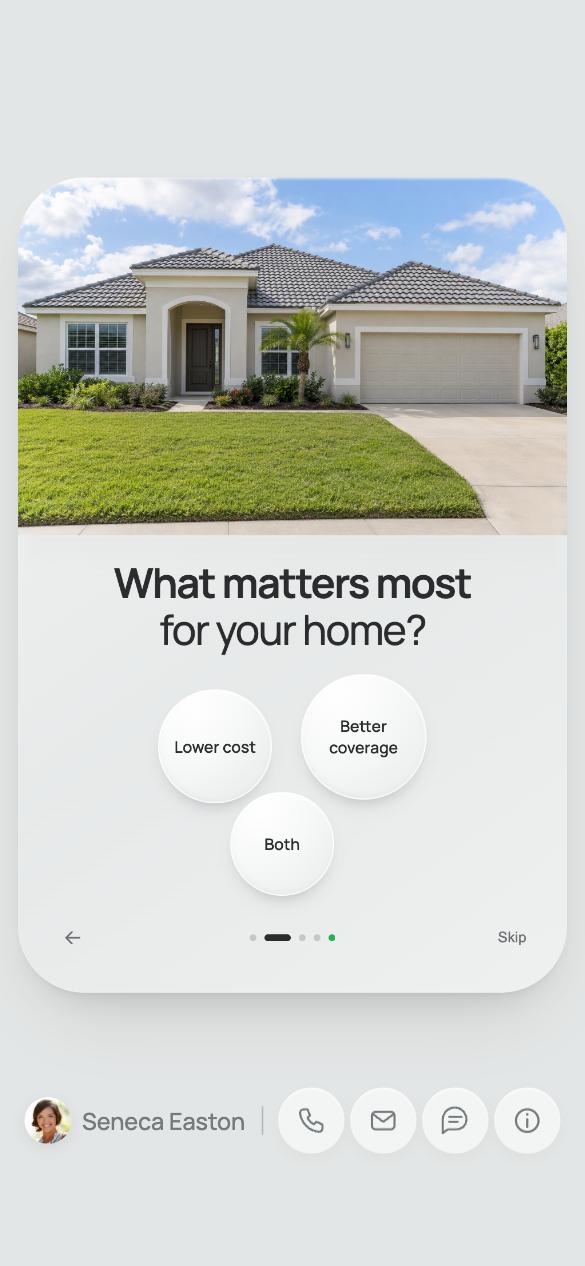
The second screen asks “What matters most for your home?” with Lower cost, Better coverage and Both.
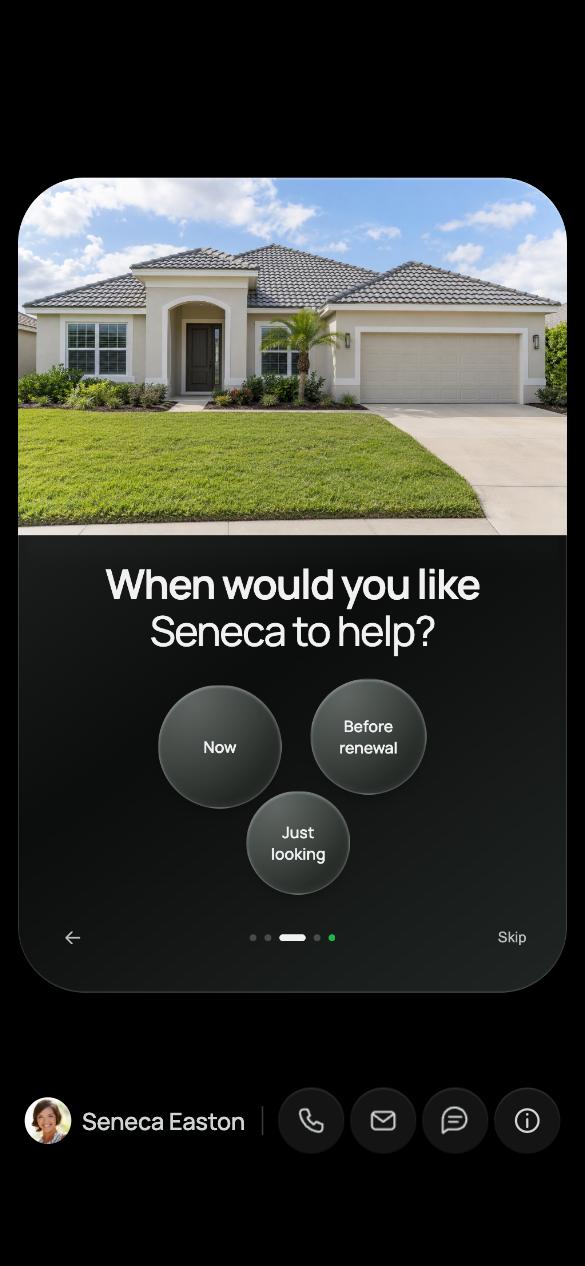
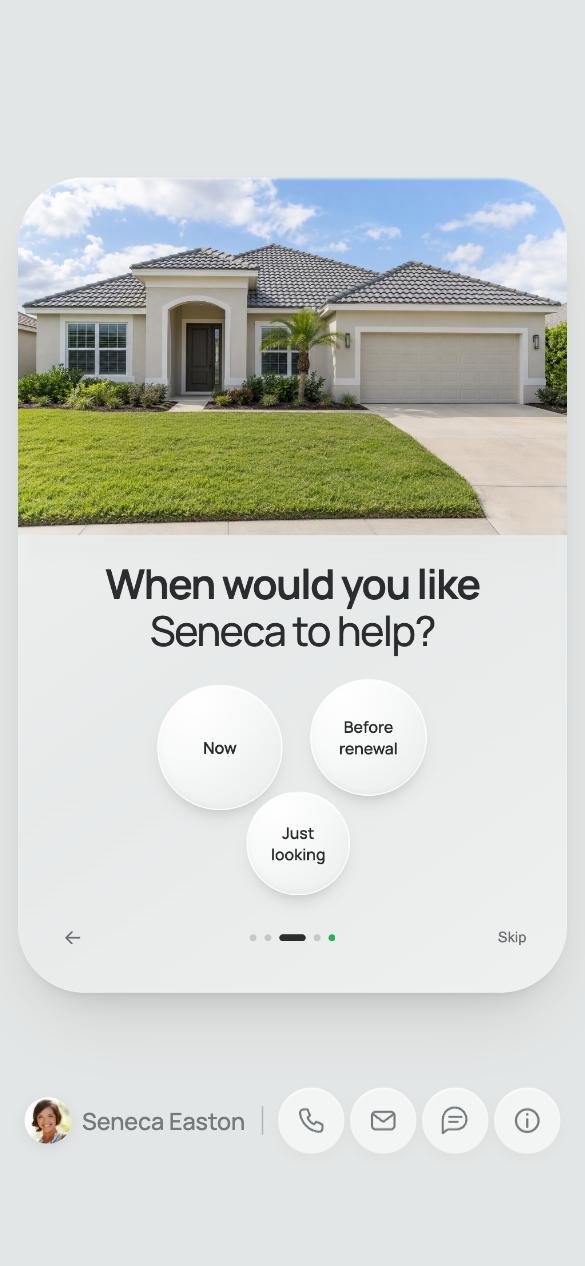
The third screen asks “When would you like Seneca to help?” with Now, Before renewal and Just looking.
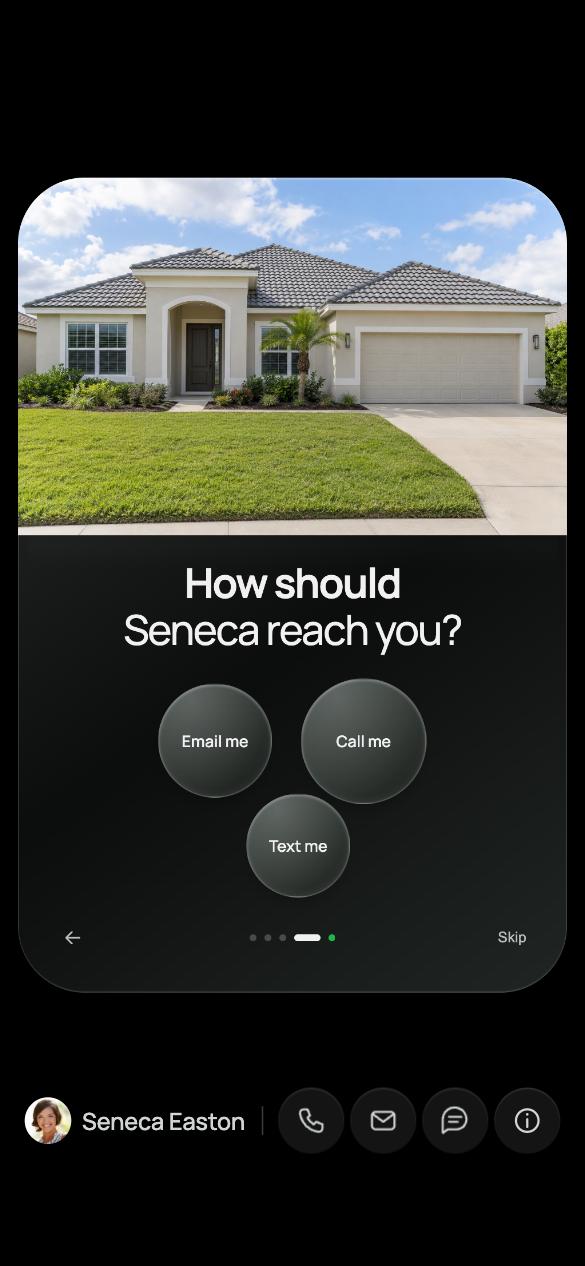
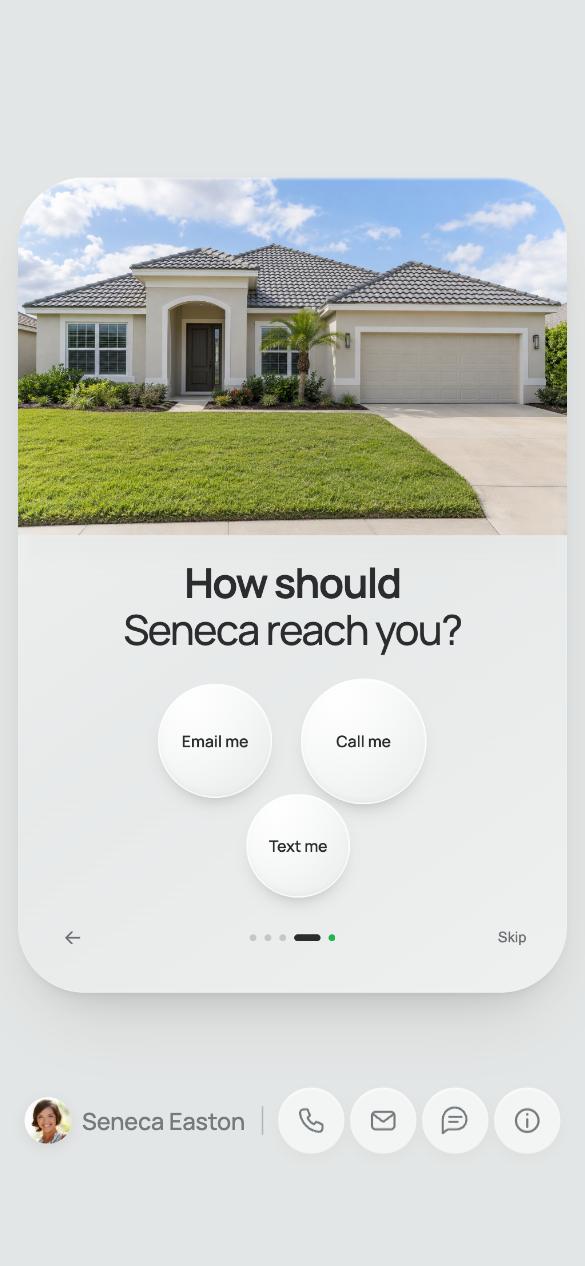
The fourth screen asks “How should Seneca reach you?” with Email me, Call me and Text me.
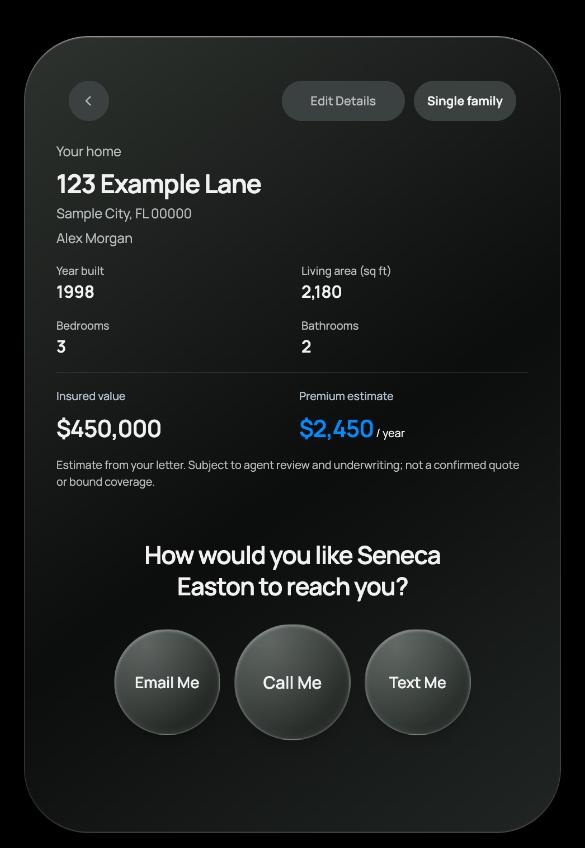
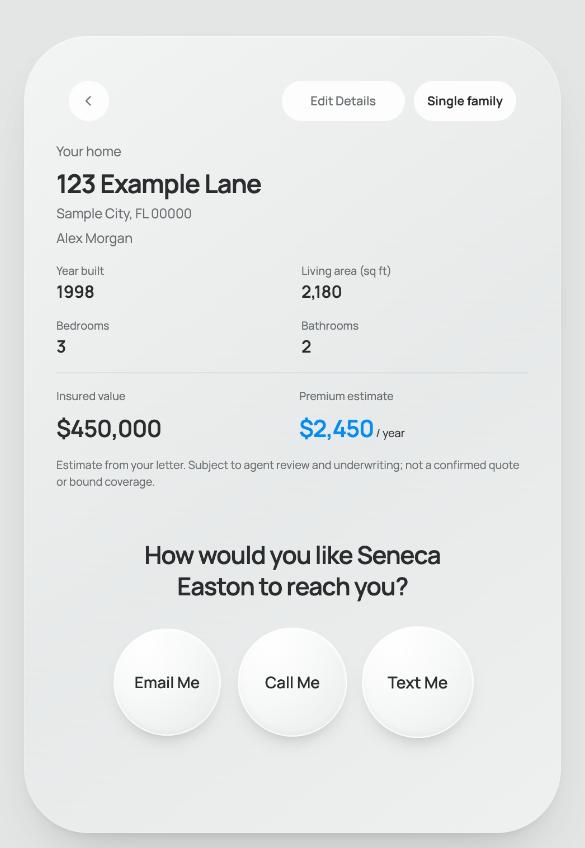
The last screen: their home’s details, insured value and premium estimate, and the ways to be reached.
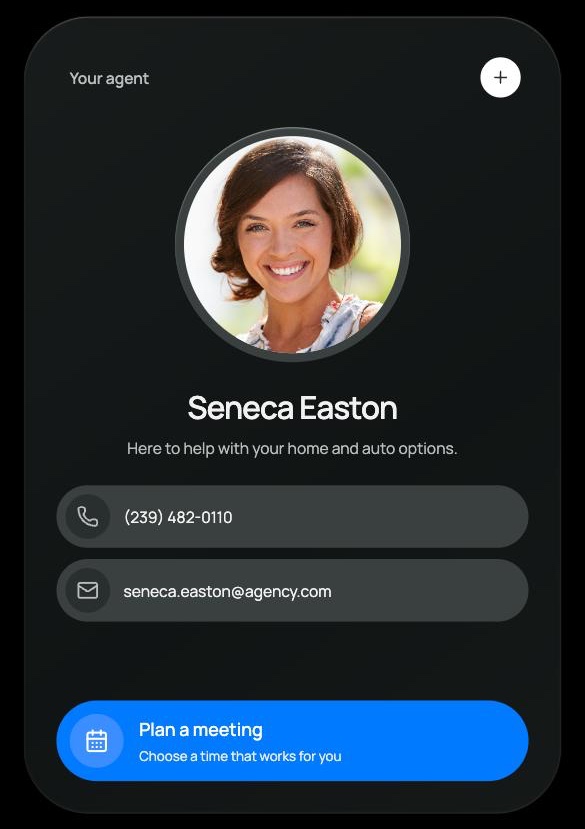
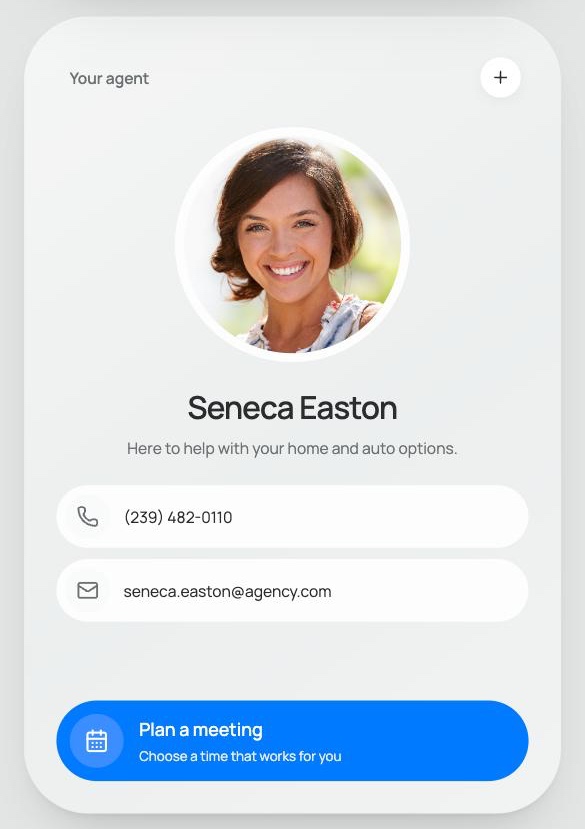
Below it, their agent’s card: a photo, a phone number, an email address and Plan a meeting.
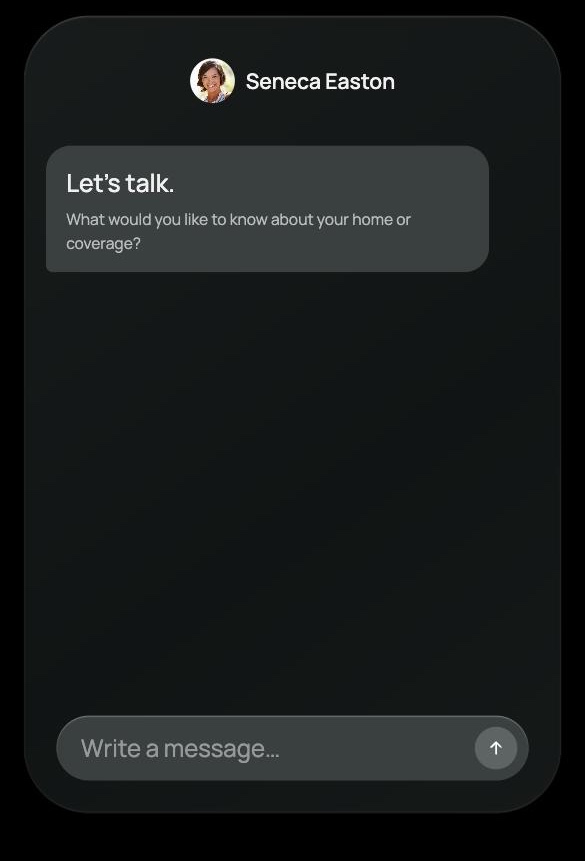
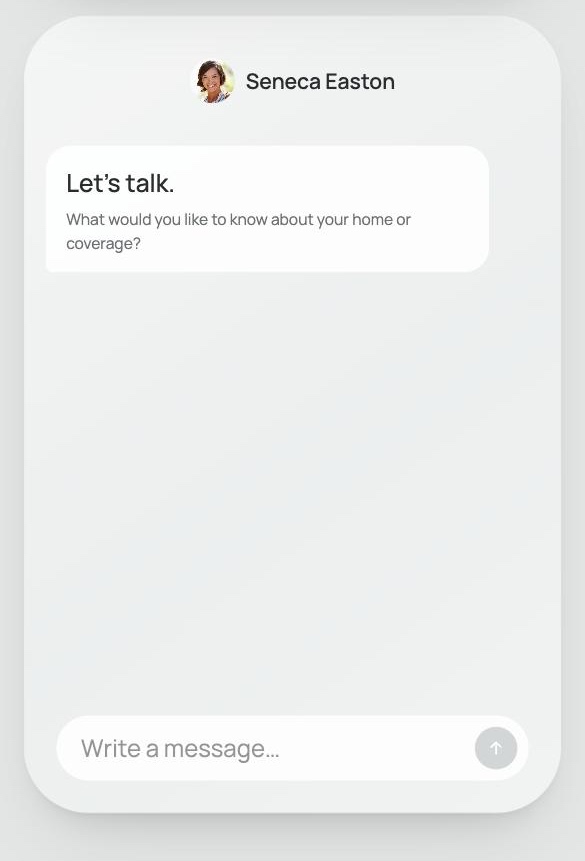
Then a chat with their agent, here with a short sample conversation about adding a car and setting a call for Thursday.
  1. It starts with their camera.They point their phone at the code on their letter and tap the link.
  2. Nothing to install.It opens straight from the QR code on their letter.
  3. It opens on their home.Their own house is the first thing they see, and it greets them by name.
  4. A few quick questions.A tap each. No forms to fill in.
  5. What matters most.Lower cost, better coverage, or both.
  6. You know where to start.Their answer tells you what to lead with before you ever call.
  7. Their timing.Now, before their renewal, or just looking.
  8. You know who to call first.The ones who want help now stand out from the ones still looking.
  9. How to reach them.Email, call or text. They choose, or skip and decide at the end.
  10. Always one tap from you.Your name stays at the foot of every step, with Call, Email and Chat.
  11. Their home and their estimate.The details from their letter, ready to confirm or correct.
  12. It all arrives in QuotesUp.You see who scanned, what they answered and how they want to hear from you.
  13. You, front and center.Your photo, your phone and your email, each one tap away.
  14. They can plan a meeting.They choose a time that works for them.
  15. They can message you.A chat opens right on the page, with no number to look up.
  16. You answer from QuotesUp.Their message reaches you in the app, and your reply goes right back.

iPhone and Apple Watch

Your figures, wherever you look.

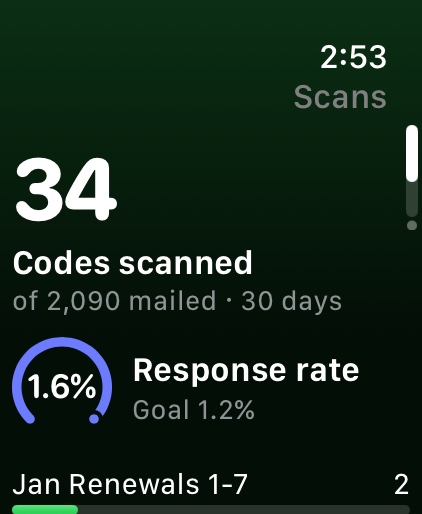
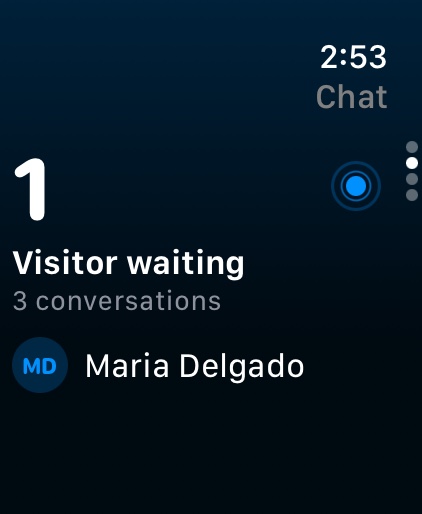
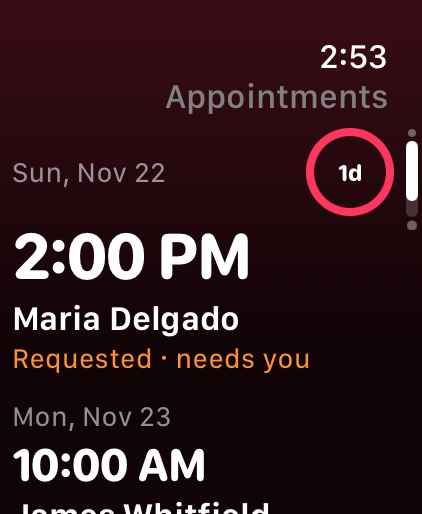
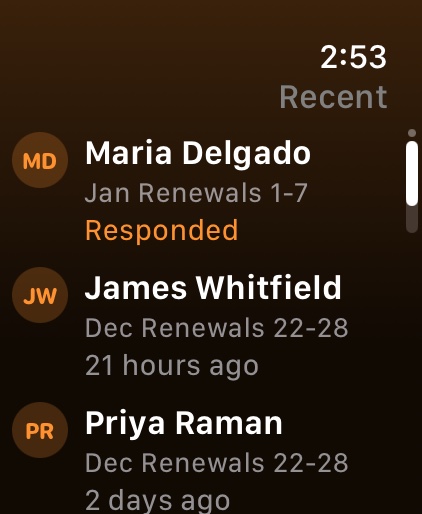
Put your figures on your Home Screen, Lock Screen, StandBy and Control Center, ask Siri “How many scans in Quotes-Up?”, and check everything on Apple Watch.
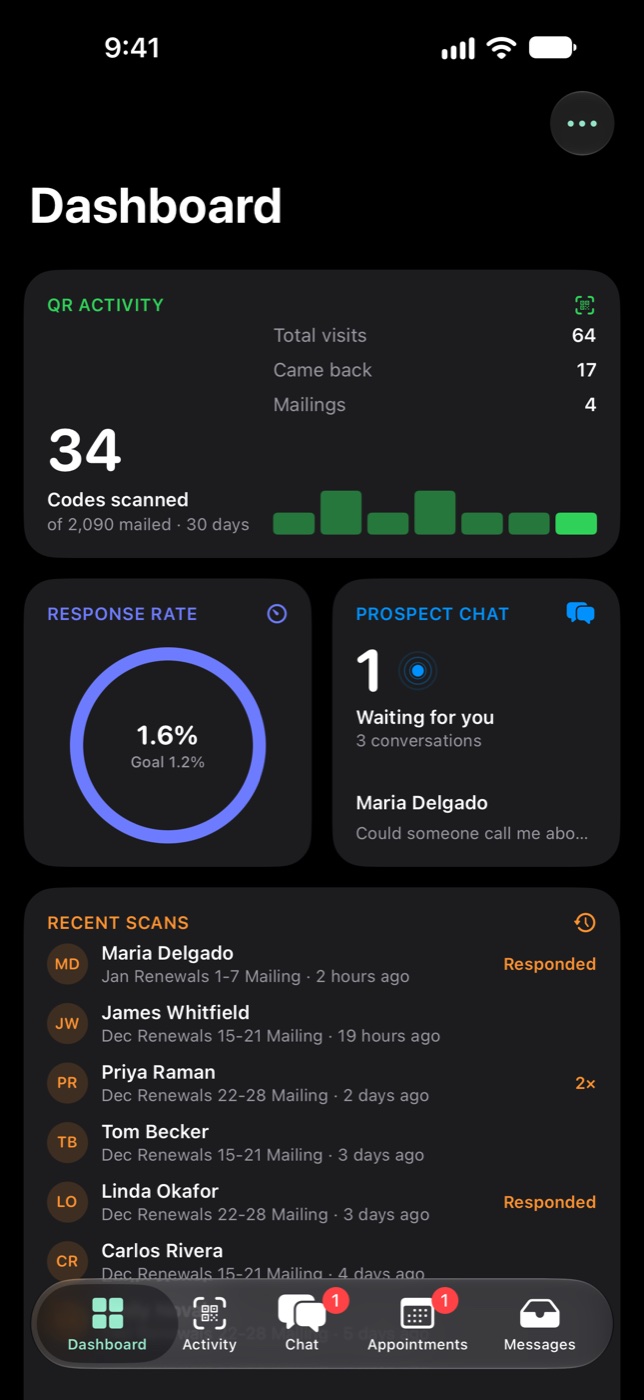
The QuotesUp Dashboard on iPhone.
iPhone
Scans and response rate on Apple Watch.A visitor waiting in Prospect Chat, on Apple Watch.The next appointments on Apple Watch.Recent scans on Apple Watch.
Apple Watch

Get QuotesUp.

QuotesUp needs a Florida Mail & Print customer account. Not a customer yet? Tap “Explore with sample data” to try every screen with invented data.
QuotesUp SupportSign in